
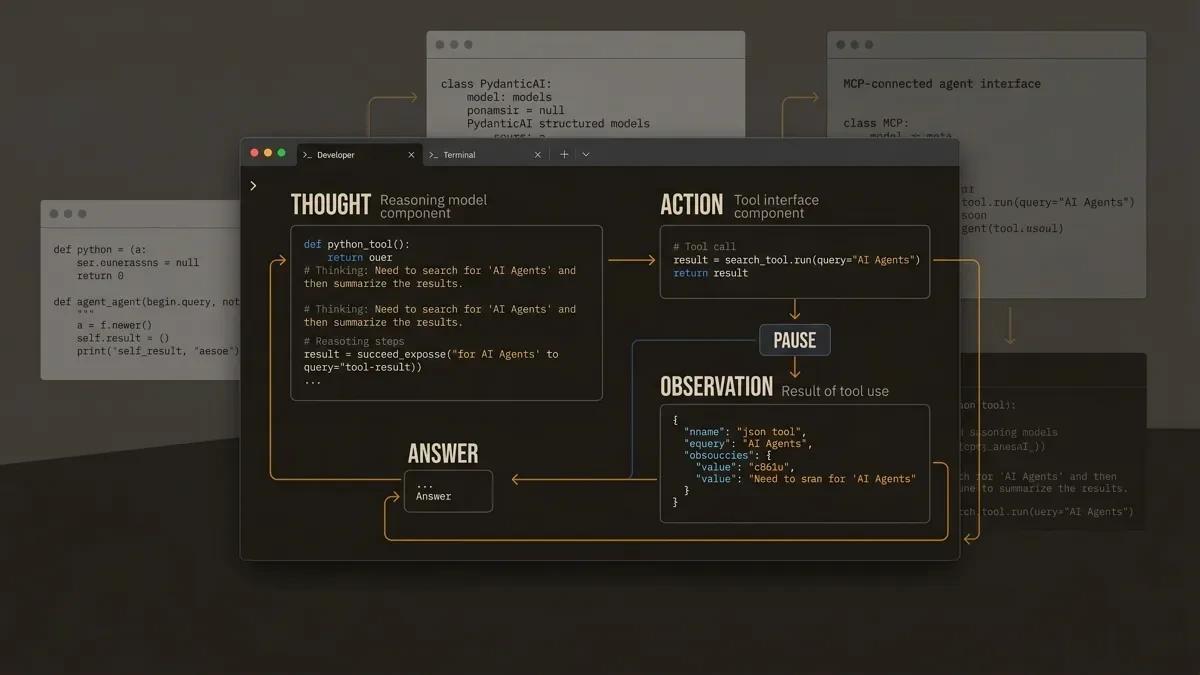
The first AI agent most developers build does something almost magical: it reasons about a question, reaches for a tool, reads the result, and decides what to do next. The whole thing fits in about 30 lines of Python. That loop (reason, act, observe, repeat) is the core unit of modern workflow automation. It is what separates agentic automation from the rigid, rule-based scripts that defined the previous generation of RPA. This guide walks you through writing those 30 lines, understanding what they do, and then turning them into something you can actually ship.
You will build three versions of the same agent:
- A minimal agent from scratch (pure Python, one API call, zero frameworks)
- A framework-powered agent with PydanticAI (type safety, structured output)
- A tool-connected agent using MCP (the emerging standard for agent tooling)
Along the way, you will add error handling and token budget controls, the parts that most tutorials leave out.
Prerequisites: Basic Python, an API key (OpenAI or Anthropic), and about 30 minutes.
To build a working AI agent from scratch
What Makes an Agent an Agent (60-Second Review)
A chatbot responds to messages. An agent acts on them.
The formula is straightforward: LLM + Tools + a Loop. The language model serves as the brain, the tools let it interact with the outside world, and the loop ties them together so the model can reason, act, observe, and repeat.
The most common loop pattern is called ReAct (Reason + Act). In plain terms:
- Thought: The model reasons about the question.
- Action: The model requests a tool call.
- PAUSE: The system executes the tool.
- Observation: The result is fed back to the model.
- Repeat until the model has enough information to answer.
That is the entire architecture. Every agent framework is an elaboration on this loop.
For the full explainer on agent types, memory, and planning, see What Are AI Agents? A Practical Introduction.
Step 1: The Minimal Agent (30 Lines of Python)
This is the "aha moment." You will build a working ReAct agent with zero dependencies beyond the openai Python package.
Set Up Your Environment
pip install openai
export OPENAI_API_KEY="your-key-here"
The Code
import re
import openai

client = openai.OpenAI()

# 1. System prompt: teaches the LLM the Thought/Action/Observation format
system_prompt = """You run in a loop of Thought, Action, PAUSE, Observation.
At the end of the loop you output an Answer.

Use Thought to describe your reasoning about the question.
Use Action to run one of the available actions, then return PAUSE.
Observation will be the result of running those actions.

Available actions:
- calculate: evaluate a math expression. Example: calculate: 4 * 7 / 3
- wiki_summary: get a one-line summary of a topic. Example: wiki_summary: Django

Example session:
Question: What is the capital of France?
Thought: I should look up France.
Action: wiki_summary: France
PAUSE

You will be called again with this:
Observation: France is a country in Western Europe. Its capital is Paris.

Then you output:
Answer: The capital of France is Paris.
"""

# 2. Define tools as plain Python functions
def calculate(expression: str) -> str:
    """Evaluate a math expression safely."""
    try:
        return str(eval(expression, {"__builtins__": {}}, {}))
    except Exception as e:
        return f"Error: {e}"

def wiki_summary(topic: str) -> str:
    """Return a short summary (stub for demonstration)."""
    # In production, call Wikipedia's API here
    summaries = {
        "python": "Python is a high-level programming language.",
        "react": "React is a JavaScript library for building UIs.",
    }
    return summaries.get(topic.lower().strip(), f"{topic}: summary unavailable.")

tools = {"calculate": calculate, "wiki_summary": wiki_summary}

# 3. The agent loop
def run_agent(question: str, max_iterations: int = 5) -> str:
    messages = [
        {"role": "system", "content": system_prompt},
        {"role": "user", "content": f"Question: {question}"},
    ]
    for _ in range(max_iterations):
        response = client.chat.completions.create(
            model="gpt-4o-mini", messages=messages
        )
        reply = response.choices[0].message.content
        messages.append({"role": "assistant", "content": reply})

        # Check for a final answer
        if "Answer:" in reply:
            return reply.split("Answer:")[-1].strip()

        # Check for an action request
        match = re.search(r"Action:\s*(\w+):\s*(.+)", reply)
        if match:
            tool_name, tool_input = match.group(1), match.group(2).strip()
            result = tools.get(tool_name, lambda _: "Unknown tool")(tool_input)
            observation = f"Observation: {result}"
            messages.append({"role": "user", "content": observation})

    return "Max iterations reached."

# 4. Run it
print(run_agent("What is 25 * 48 + 12?"))
Save this as minimal_agent.py and run it:
python minimal_agent.pyYou should see the agent think through the problem, call the calculate tool, receive the result, and return a final answer.
Step 2: Understanding What Just Happened
Here is a trace through the execution step by step.
Turn 1 (LLM responds):
Thought: I need to calculate 25 * 48 + 12.
Action: calculate: 25 * 48 + 12
PAUSE
The model recognized it needed a calculation and requested the calculate tool. It returned PAUSE to signal that it was waiting for a result.
Turn 2 (System feeds back the result):
Observation: 1212Our loop parsed the action, executed the calculate function, and injected the observation back into the conversation as a user message.
Turn 3 (LLM responds with the answer):
Answer: 25 * 48 + 12 equals 1212.The model saw the observation, confirmed the result, and produced a final answer.
Why This Works
The magic is in the system prompt. It teaches the model a structured format. The model follows the format because large language models are excellent at pattern completion. The loop simply parses the model's text output and executes the requested actions.
This is already more capable than a chatbot. The model can reason about when to use a tool, which tool to use, and how to interpret the result. That is the core of agency.
Step 3: Adding a Framework (PydanticAI)
The minimal agent works, but it has rough edges: the output is unstructured, tool arguments are parsed from raw text, and there is zero type safety. Frameworks solve these problems.
PydanticAI brings the "FastAPI feeling" to agent development. It provides type-safe tool definitions, structured output validation, multi-provider support (OpenAI, Anthropic, Gemini, and more), and dependency injection.
Install PydanticAI
pip install pydantic-aiThe Same Agent, Rebuilt
from pydantic_ai import Agent

# 1. Create an agent with a system prompt
agent = Agent(
    "openai:gpt-4o-mini",
    system_prompt="You are a helpful assistant. Use the available tools to answer questions.",
)

# 2. Define tools with the @agent.tool_plain decorator
@agent.tool_plain
def calculate(expression: str) -> str:
    """Evaluate a math expression. Use this for any arithmetic."""
    try:
        return str(eval(expression, {"__builtins__": {}}, {}))
    except Exception as e:
        return f"Error: {e}"

@agent.tool_plain
def wiki_summary(topic: str) -> str:
    """Look up a short summary of a topic."""
    summaries = {
        "python": "Python is a high-level programming language.",
        "react": "React is a JavaScript library for building UIs.",
    }
    return summaries.get(topic.lower().strip(), f"{topic}: summary unavailable.")

# 3. Run it
result = agent.run_sync("What is 25 * 48 + 12?")
print(result.output)
That is about 20 lines of working code. PydanticAI handles the ReAct loop internally, parses tool calls using the model's native function-calling API (instead of regex), validates inputs against type hints, and manages the conversation history.
What You Gain With a Framework
| Criteria | Raw Python | PydanticAI |
|---|---|---|
| Tool argument parsing | Regex on text | Native function calling with type validation |
| Output structure | Raw string | Pydantic model (optional) |
| Provider support | One provider at a time | OpenAI, Anthropic, Gemini, Ollama, and more |
| Dependency injection | Manual | Built-in via RunContext |
| Retry logic | Write it yourself | Configurable per tool |
Structured Output Example
PydanticAI truly shines when you need validated, structured responses:
from pydantic import BaseModel
from pydantic_ai import Agent

class MathAnswer(BaseModel):
    expression: str
    result: float
    explanation: str

agent = Agent(
    "openai:gpt-4o-mini",
    output_type=MathAnswer,
    system_prompt="Solve math problems. Always show your work.",
)

@agent.tool_plain
def calculate(expression: str) -> str:
    """Evaluate a math expression."""
    return str(eval(expression, {"__builtins__": {}}, {}))

result = agent.run_sync("What is 25 * 48 + 12?")
print(result.output.expression)   # "25 * 48 + 12"
print(result.output.result)       # 1212.0
print(result.output.explanation)  # "First multiply 25 by 48 to get 1200..."
The response is guaranteed to match the MathAnswer schema. If the model returns something that fails validation, PydanticAI automatically retries.
Framework Decision Matrix
Choosing a framework depends on your use case. Here is a quick comparison:
| Criteria | Raw Python | PydanticAI | LangGraph | CrewAI |
|---|---|---|---|---|
| Learning curve | Lowest | Low | Medium | Medium |
| Type safety | Manual | Built-in | Minimal | |
| Multi-agent | Manual | Supported | Core strength | Core strength |
| Integrations | DIY | Growing | 300+ (via LangChain) | Role-based |
| Best for | Learning, prototypes | Production single-agent | Complex stateful workflows | Multi-agent teams |
| Output validation | Manual | Pydantic models | Manual | Manual |
Recommendation for beginners: Start with raw Python to understand the loop. Move to PydanticAI when you want type safety and structured output. Consider LangGraph when your workflow has branching logic or complex state. Consider CrewAI when you need multiple agents collaborating in defined roles.
Browse the Agent Frameworks Directory for scored reviews and integration guides on every major framework.
Step 4: Connecting to the Real World With MCP
Your agent can calculate and look up stubs. To make it genuinely useful, you need to connect it to real services: databases, file systems, APIs, SaaS tools. This is where the Model Context Protocol (MCP) comes in.
What Is MCP?
MCP is an open standard that defines how AI agents discover and call tools. Think of it as USB-C for AI tooling: one protocol, many tools. Instead of writing custom integration code for every service, you connect your agent to an MCP server that exposes a standard interface.
MCP supports two transport mechanisms:
- Stdio: For local processes communicating via stdin/stdout. Low latency, ideal for development.
- Streamable HTTP: For remote servers communicating over HTTP. Production-grade, scalable, replaces the earlier SSE transport.
A Quick MCP Example
Here is a minimal MCP server that exposes a file-reading tool, using the official Python SDK:
pip install mcpThe server:
from mcp.server.fastmcp import FastMCP

mcp = FastMCP("File Reader")

@mcp.tool()
def read_file(path: str) -> str:
    """Read the contents of a text file."""
    try:
        with open(path, "r") as f:
            return f.read()[:2000]  # Limit to 2000 chars
    except FileNotFoundError:
        return f"The file at {path} is unreachable. Check the path and try again."

if __name__ == "__main__":
    mcp.run(transport="stdio")
The agent, using PydanticAI's MCP integration:
import asyncio
from pydantic_ai import Agent
from pydantic_ai.mcp import MCPServerStdio

# Point the agent at the MCP server
file_server = MCPServerStdio("python", args=["mcp_file_server.py"])

agent = Agent(
    "openai:gpt-4o-mini",
    system_prompt="You are a helpful file assistant. Use the available tools.",
    mcp_servers=[file_server],
)

async def main():
    async with agent:
        result = await agent.run("Read the file at ./example.txt and summarize it.")
        print(result.output)

asyncio.run(main())
The agent automatically discovers the read_file tool from the MCP server. You wrote zero integration code in the agent itself. Swap the file server for a database server or a Slack server, and the agent adapts.
Why MCP Matters
The MCP ecosystem is growing fast. Community servers already exist for GitHub, Slack, PostgreSQL, Notion, file systems, and dozens more. By building your agents with MCP support, you gain access to this entire ecosystem through a single protocol.
MCP transforms agents from chat experiments into genuine automation tools. When your agent connects to Slack, GitHub, and PostgreSQL via MCP, it is connecting to the same systems that your workflows actually touch. That is the bridge between a tutorial project and a production automation.
Browse the MCP Directories for a scored index of every major MCP server directory, with editorial reviews and integration guidance.
Step 5: The Parts Tutorials Skip (Error Handling)
Here is a sobering statistic: only 12% of AI agents survive production. Most of them began as demos that omitted error handling, token management, and tool validation.
Errors in AI agents are semantic. The model might fabricate a function name, hallucinate parameters, or enter an infinite reasoning loop. These are fundamentally different from traditional software bugs because they emerge from probabilistic token generation.
Pattern 1: Validation Gates Before Tool Execution
Always validate tool inputs before executing them:
import re

def safe_calculate(expression: str) -> str:
    """Evaluate a math expression with input validation."""
    # Only allow numbers, basic operators, and parentheses
    if re.match(r'^[\d\s\+\-\*/\(\)\.]+$', expression):
        try:
            return str(eval(expression, {"__builtins__": {}}, {}))
        except Exception as e:
            return f"Calculation error: {e}"
    return f"Invalid expression: only numbers and basic operators are allowed."
Pattern 2: Maximum Iteration Limits
The minimal agent already includes this, but it deserves emphasis. Every agent loop must have a hard ceiling:
MAX_ITERATIONS = 10

for i in range(MAX_ITERATIONS):
    # ... agent loop ...
    if i == MAX_ITERATIONS - 1:
        return "I reached my iteration limit. Here is what I found so far: ..."
A runaway loop occurs when the agent enters an infinite cycle of reasoning and tool-calling that produces useful progress. The model asks for information, receives it, decides it needs more, asks again, and repeats indefinitely. Each cycle consumes tokens and incurs API costs. Because the context window grows with every iteration, the cost per cycle escalates as the loop continues.
A single uncapped agent can burn roughly $300 per day. At scale, with 50 concurrent threads carrying growing context, costs reach approximately $9,000 per hour. The iteration ceiling above is the simplest defence: set a maximum number of loop iterations, and exit gracefully when the ceiling is reached.
Pattern 3: Typed Error Handlers That Guide Self-Correction
When a tool call fails, give the model specific guidance instead of a generic error:
def handle_tool_error(error: Exception, tool_name: str) -> str:
    """Return actionable error messages that help the LLM self-correct."""
    if isinstance(error, ConnectionError):
        return f"The {tool_name} service is temporarily unreachable. Try again or use a different approach."
    if isinstance(error, ValueError):
        return f"The arguments to {tool_name} were invalid. Check the expected format and retry."
    if isinstance(error, TimeoutError):
        return f"The {tool_name} call timed out. Simplify the request or try a smaller input."
    return f"An unexpected error occurred in {tool_name}: {str(error)}. Try a different approach."
Custom error messages give the model enough context to adjust its next action, instead of repeating the same failing call.
Pattern 4: Circuit Breakers for Repeated Failures
If a tool fails multiple times in a row, stop calling it:
class CircuitBreaker:
    def __init__(self, max_failures: int = 3):
        self.failures: dict[str, int] = {}
        self.max_failures = max_failures

    def record_failure(self, tool_name: str):
        self.failures[tool_name] = self.failures.get(tool_name, 0) + 1

    def is_open(self, tool_name: str) -> bool:
        return self.failures.get(tool_name, 0) >= self.max_failures

    def get_message(self, tool_name: str) -> str:
        return f"The {tool_name} tool has failed {self.max_failures} times. Use a different approach."
Step 6: Token Budget and Cost Control
Most AI agent cost overruns come from passing too much context through the conversation. When agents carry entire conversation histories or pull excessive data from tools, token counts grow rapidly.
The Memory Pointer Pattern
Instead of stuffing large tool results into the conversation, store the data in application state and pass a short pointer:
data_store = {}

def search_documents(query: str) -> str:
    """Search documents and return a pointer to full results."""
    results = perform_search(query)  # Returns potentially large data
    pointer = f"search_{hash(query)}"
    data_store[pointer] = results

    # Return only a summary to the LLM
    summary = f"Found {len(results)} results. Top 3:\n"
    for r in results[:3]:
        summary += f"- {r['title']} (ref: {pointer})\n"
    return summary

def get_document_detail(pointer: str) -> str:
    """Retrieve full details for a specific search result."""
    return data_store.get(pointer, "Reference expired.")
The model sees a compact summary. If it needs more detail, it calls a follow-up tool with the pointer. This keeps context lean.
Token Budget Guardrails
Set a maximum token spend per agent run and check it after every iteration:
class TokenBudget:
    def __init__(self, max_tokens: int = 50_000):
        self.max_tokens = max_tokens
        self.used = 0

    def add(self, prompt_tokens: int, completion_tokens: int):
        self.used += prompt_tokens + completion_tokens

    def check(self) -> str | None:
        ratio = self.used / self.max_tokens
        if ratio >= 0.9:
            return "TOKEN_LIMIT: Wrap up immediately with your best answer."
        if ratio >= 0.85:
            return "TOKEN_WARNING: You are at 85% of budget. Be concise."
        if ratio >= 0.7:
            return "TOKEN_NOTICE: You have used 70% of your token budget."
        return None
Inject the warning message into the conversation so the model can adjust its behavior, using fewer tool calls or producing shorter outputs.
Model Routing for Cost Efficiency
Lightweight tasks (classification, formatting) can use smaller, cheaper models. Reserve powerful models for complex reasoning:
def choose_model(task_complexity: str) -> str:
    """Route to the appropriate model based on task complexity."""
    routing = {
        "simple": "gpt-4o-mini",       # Classification, formatting
        "moderate": "gpt-4o",           # Multi-step reasoning
        "complex": "o3",               # Deep analysis, long chains
    }
    return routing.get(task_complexity, "gpt-4o-mini")
This kind of routing can reduce inference costs by 60-80% for workloads that mix simple and complex tasks.
What Comes Next
You now have a working agent, a framework-powered version, and the patterns that keep it running in production. Here is where to go from here:
Add Memory
- Short-term: PydanticAI's message_history parameter carries conversation context across runs.
- Long-term: Store facts in a vector database (ChromaDB, Pinecone) and expose retrieval as a tool.
Go Multi-Agent
When one agent is handling too many responsibilities, split the work. Assign one agent per domain (research, writing, review) and coordinate them through a parent agent or a graph-based workflow.
Template and Version Control Your Agents
Once your agent works, template the process before adding capabilities. Extract the system prompt, tool definitions, and configuration into separate files. Put everything under version control. Each new capability (a new tool, a new MCP server, a model upgrade) becomes a discrete commit that you can review, test, and roll back independently.
A practical structure:
my-agent/
  agent.py              # Core agent loop
  system_prompt.md      # System prompt (versioned separately)
  tools/                # Tool definitions
    file_reader.py
    calculator.py
  mcp_servers/          # MCP server configs
    file_server.py
  config.yaml           # Model, budget, iteration limits
  tests/
    test_agent.py
This separation means you can update the system prompt, swap a model, or add a tool, all with a clean diff and a rollback path. As your agent grows from one tool to ten, the version history tells you exactly when each capability was introduced and how the agent's behaviour changed.
Ship to Production
Production agents need:
- Observability: Trace every tool call, every LLM response, and every retry. Tools like Phoenix, Langfuse, and Braintrust make this straightforward.
- Governance: Define which tools an agent may call, what data it may access, and when it must escalate to a human.
- Deployment: Wrap your agent in a FastAPI endpoint, containerize it, and deploy behind an API gateway.
The agent you built in this guide is the starting point for a workflow automation. The immediate next step is identifying the repetitive task or process in your organisation that this agent could handle: email triage, data enrichment, report generation, lead qualification, or customer support routing. Each of these is an automation use case that the agent loop powers.
Find the simplest solution possible, and only increase complexity when needed. Start with the 30-line version. Add a framework when raw strings become painful. Add MCP when you need real integrations. Add multi-agent coordination when a single agent becomes a bottleneck.
Quick Reference: The Complete Minimal Agent
For easy copy-paste, here is the full minimal agent in one block:
import re
import openai

client = openai.OpenAI()

system_prompt = """You run in a loop of Thought, Action, PAUSE, Observation.
At the end of the loop you output an Answer.

Use Thought to describe your reasoning.
Use Action to run one of the available actions, then return PAUSE.
Observation will be the result of running those actions.

Available actions:
- calculate: evaluate a math expression. Example: calculate: 4 * 7 / 3
- wiki_summary: get a one-line summary. Example: wiki_summary: Django
"""

def calculate(expression: str) -> str:
    try:
        return str(eval(expression, {"__builtins__": {}}, {}))
    except Exception as e:
        return f"Error: {e}"

def wiki_summary(topic: str) -> str:
    return f"Summary of {topic} (stub)."

tools = {"calculate": calculate, "wiki_summary": wiki_summary}

def run_agent(question: str, max_iterations: int = 5) -> str:
    messages = [
        {"role": "system", "content": system_prompt},
        {"role": "user", "content": f"Question: {question}"},
    ]
    for _ in range(max_iterations):
        response = client.chat.completions.create(
            model="gpt-4o-mini", messages=messages
        )
        reply = response.choices[0].message.content
        messages.append({"role": "assistant", "content": reply})

        if "Answer:" in reply:
            return reply.split("Answer:")[-1].strip()

        match = re.search(r"Action:\s*(\w+):\s*(.+)", reply)
        if match:
            tool_name, tool_input = match.group(1), match.group(2).strip()
            result = tools.get(tool_name, lambda _: "Unknown tool")(tool_input)
            messages.append({"role": "user", "content": f"Observation: {result}"})

    return "Max iterations reached."

if __name__ == "__main__":
    print(run_agent("What is 25 * 48 + 12?"))
Keep Exploring
Once your first agent runs, two questions follow. For the conceptual foundation if you skipped the theory, see what AI agents are and how they actually work. For the patterns that hold up once the agent ships, see AI agents in production patterns that work.
