
The Bottleneck Is Verification
If you publish under your name, the slowest part of the work is making sure everything you say is actually true.
Reading source pages. Cross-checking what they actually say against what you remember them saying. Tracking down whether a statistic exists in the report it gets attributed to. Confirming that the version of a tool you are describing is the version that exists right now, rather than the version your training data remembers from eight months ago.
That work used to take us hours per article. Sometimes a full day before we would let a piece publish. The friction sat in the verification layer underneath the draft. The part the reader sees is the article. The part they trust is the verification work they assume happened underneath it.
This is the part of publishing that AI-assisted drafting has made harder. The writing layer compresses from days to hours. The verification layer expands, because every confident-sounding sentence the model produces now needs an explicit source check before it ships.
We have been running Firecrawl as the extraction engine inside our research and validation workflow for three months. It is wired into an agent skill that runs before every article goes live. This piece walks through what changed in our workflow when we adopted it, what it actually costs us, where we have hit limits, and what we would suggest if you are working on the same problem.
What the Workflow Used to Look Like
Before Firecrawl, our research and verification process was a mix of three things:
Manual reading. One of us would open every cited source in a tab, read the relevant section, and copy the supporting quote into a working document. For an article with twelve sources, that was three to four hours of work.
Custom scrapers. For repeat tasks like checking pricing pages or release notes, we wrote one-off Python scripts. Each one needed proxy handling, retry logic, JavaScript rendering for SPAs, and HTML cleaning. Each one broke the moment the target site updated.
Search-then-paste. When we needed quick fact-checks, we would run a Google search, open the top three results, skim, and paste relevant text into the article. This was the fastest path and also the lowest-fidelity. Hallucinations slipped through this layer regularly.
The work was inconsistent because the tooling was inconsistent. The articles we shipped felt verified because we had done the reading. We could prove they were verified only when we had a reliable system that would catch claims that drifted from their sources.
What We Tried Before Settling on Firecrawl
We evaluated a shortlist before arriving at Firecrawl:
Beautiful Soup + Playwright. Fine for one-off scrapes. Painful as soon as the target uses JavaScript heavily or rotates anti-bot challenges. We were maintaining proxy infrastructure within a week.
Apify. Solid platform, especially for crawl-heavy work. Pricing got expensive fast for our use pattern. Setup overhead was higher than we wanted for the verification workflow specifically.
ScrapingBee. Closer to what we wanted in terms of zero-config rendering. The output was raw HTML, which meant we were burning LLM tokens converting it to markdown for the agent to process.
Tavily. Excellent for search-first workflows where you want ranked, summarised results. Less suited to the case where we knew exactly which URL we needed to extract from.
Firecrawl won on a specific combination: native markdown output, zero infrastructure overhead, and an MCP integration that let us call it natively from inside the agent skills we were already building. The token-economics alone made the case. Cleaner output meant smaller prompts, which meant faster validation runs at lower cost.
How We Use It
Firecrawl runs inside a single skill we call deep-research, defined at .claude/skills/deep-research/SKILL.md. The skill is a generic five-phase research protocol that covers any subject we need to research: a framework, a tool, a platform, a market, a competitor.
The shape of the skill, abbreviated:
Phase 1 — Define the research target
  Subject, output format, decision it informs, scope, freshness need

Phase 2 — SEO intent mapping (search first)
  Run search queries via Firecrawl before crawling
  Map what already ranks, what angles exist, where the gaps are

Phase 3 — Deep content crawl
  Crawl the primary sources identified in Phase 2
  Extract clean markdown for each source

Phase 4 — Synthesis
  Cross-reference sources, build the comparison or article structure
  Flag claims that any single source cannot support

Phase 5 — Output
  Write to articleSources[] for articles, or directory entry, or PRD inputs
The agent invokes Firecrawl automatically inside Phases 2 and 3. Search results from Phase 2 feed the URLs that get crawled in Phase 3. The output of Phase 3 feeds Phase 4 synthesis. The agent calls the skill, the skill calls Firecrawl, the structured output flows into Notion as the staging layer before publication.
The reason this works is that Firecrawl returns markdown that the next agent step can process directly. Raw HTML would require a normalisation pass that adds latency and cost. The clean output is what makes the chain runnable end-to-end.
A Real Example: The Hyperautomation Fact-Check
Last month we published a deep-dive on whether hyperautomation is dead. The draft contained ten specific factual claims: Gartner market projections, UiPath financial figures, G2 survey statistics, Celonis pricing data.
We ran every claim through the deep-research skill before publish. Firecrawl pulled the original source for each claim and the agent compared what we had written against what the source actually said.
Six claims verified cleanly. Four flagged for review. One specific 78% figure, which we had attributed to a named industry report, did not appear in that report at all. The number existed in our draft. It did not exist in the cited source. We removed the claim before publishing.
10 claims checked, 6 verified, 4 flagged, 1 fabricated statistic caught
That single check was the difference between publishing under our name with confidence and publishing something we could not defend. The article moved from draft to publish-ready in one validation session, with every remaining claim traceable to a source we had actually verified.
The Numbers
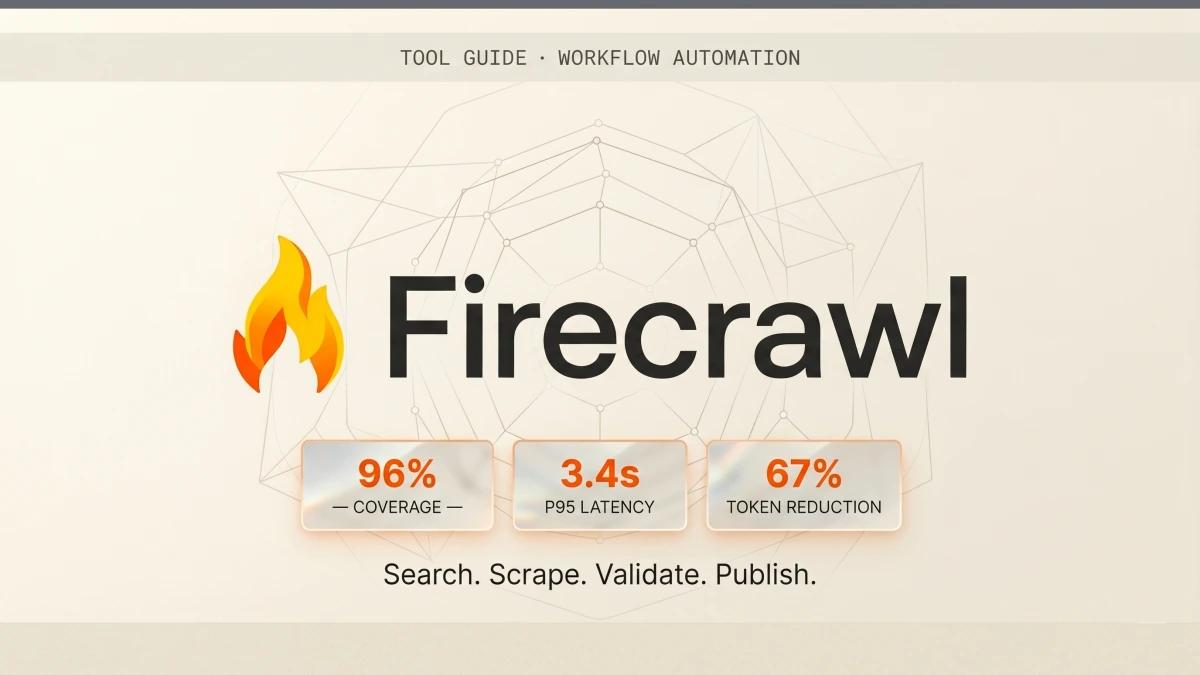
Firecrawl publishes a set of platform-level metrics. We have observed these figures in production rather than benchmarking independently, and they match what Firecrawl publishes:
Including JavaScript-heavy pages, single-page applications, and dynamically loaded content
From request to clean markdown output across millions of pages
Versus raw HTML. Markdown preserves heading hierarchy without rendering scaffolding
In third-party benchmarks (Apify and AI Multiple), versus 67.8% for the nearest comparable tool
The largest open-source repository in the web scraping space. Zero configuration for proxies, anti-bot, rate limits, and JS rendering.
In our actual usage, the latency feels closer to 2-4 seconds for typical pages and 5-8 seconds for heavy SPAs. The markdown output is genuinely clean. Post-processing code is unnecessary.
Where It Reaches Its Limits
Three honest limitations we have hit, all worth knowing before adopting it:
Login-walled and aggressively rate-limited sites are still hard
The 96% web coverage figure includes most of the public web. The remaining 4% is where you find login-only docs, sites with strict bot rate limiting per source domain, and a handful of high-profile sites that explicitly block scraping infrastructure. We have run into this on a few competitor pricing pages and one industry report site that wanted us to log in. The Interact endpoint can handle some of these via browser automation, though coverage varies. If you are doing competitive intelligence on heavily defended targets, plan for a fallback.
Credit consumption is predictable, then occasionally spikes
A typical article validation run costs us 25 to 70 credits. Most months we are at 600 to 1,000 credits across all our research. The exceptions are when we crawl a site with deeper pagination than we expected, or when a JavaScript-heavy single-page app needs full render to extract anything useful. One crawl of a poorly-paginated documentation site burned 200 credits before we caught it. Set a max-pages parameter on crawls when you do not know the depth in advance.
Schema-driven JSON extraction works well for shallow data
The JSON extraction mode lets you pass a schema and get structured data back, which we use for pricing tables, comparison matrices, and feature grids. It works cleanly for flat structures. For deeply nested data, like multi-level menu structures or threaded comments, we have had to fall back to markdown extraction and parse on our side. The schema mode is a strong feature for flat structures, with markdown extraction as your fallback for nested shapes.
All three are manageable within Firecrawl's workflow. They have shaped how we use it. If you adopt it, expect to learn the shape of the failure modes for your specific targets.
What It Costs Us
We started on the free tier with 500 one-time credits, which lasted us about ten days of active use. We moved to the Hobby plan at $16 per month for 3,000 monthly credits.
Over the last 30 days, we used 955 credits across:
- Three articles validated end-to-end (67 + 41 + 28 credits)
- One full directory entry research run for the agent frameworks page (180 credits, including Phase 2 search and Phase 3 crawl across 7 framework documentation sites)
- Routine fact-checks across other pieces in production (roughly 290 credits)
- One mistake-crawl on a deeply paginated documentation site (200 credits)
Per-article, our typical validation run sits between 25 and 70 credits. At Hobby pricing, that is roughly $0.13 to $0.37 per article in tooling cost. The previous workflow consumed three to four hours of human time per article. The economics required zero analysis.
Firecrawl pricing at a glance
500 credits to evaluate the platform
- ✓500 one-time credits
- ✓2 concurrent requests
- ✓Search, scrape, crawl, map
Where most solo operators start
- ✓3,000 monthly credits
- ✓5 concurrent requests
- ✓Basic support
- ✓1 credit = 1 page
For teams running daily research pipelines
- ✓100,000 monthly credits
- ✓50 concurrent requests
- ✓Standard support
- ✓Auto-recharge available
- ✓Billed annually
For high-volume extraction at scale
- ✓500,000 monthly credits
- ✓100 concurrent requests
- ✓Priority support
- ✓Billed annually
One credit equals one webpage extracted, or one PDF page, or one search result. The pricing is transparent and predictable. Every invoice has matched our usage expectations.
How It Stacks Up
The shortlist we evaluated, with how we would frame each one now:
Tavily is search-first. If your job is "given a question, find ranked answers," Tavily is the more direct fit. We use Firecrawl because our flow is closer to "given specific URLs, give me clean structured content," with search as a sub-step.
Apify is the right answer for heavy crawl jobs across many sites with custom scrapers per source. If you are running a data pipeline at scale with bespoke logic per target, Apify earns its place. For verification workflows running inside an agent skill, the overhead is higher than we wanted.
Bright Data and ScrapingBee are strong on the infrastructure side. We tested Firecrawl more deeply because the markdown output and MCP integration made the rest of the comparison secondary for our use case.
Browserbase is a different category, more about running browser automation at scale than extraction. Useful for interaction-heavy flows. A different category from what our verification workflow required.
There is a context-dependent right tool here, shaped by the workflow you are running. For our verification-and-research workflow with the AS publication pipeline downstream, Firecrawl is the one that closes the loop with the least overhead.
Where This Fits in the Broader System
Firecrawl is one piece of a larger publication system we have been building. The full chain runs:
Notion (drafting) → deep-research skill (research + validation, powered by Firecrawl) →
articleSources[] (structured trust layer) → Sanity (CMS) → Next.js (publishing) →
JSON-LD + llms.txt (machine-readable surfaces)
The point of the chain is that every layer earns trust the next layer relies on. Drafts in Notion start as ideas. The deep-research skill turns claims into source-backed statements. The articleSources[] block carries those sources through to the live page. The JSON-LD and llms.txt surfaces let agents and search engines verify the same trust signals programmatically.
Firecrawl sits at the second step in this chain. Without the extraction layer, the trust layer underneath everything else is manual and inconsistent. With it, the layer is durable enough to scale.
This is the strategic reason we keep using Firecrawl rather than rotating tools every few months. It is the dependable piece that lets the cleverer pieces run.
What We Would Suggest
Three months in, we are still using Firecrawl. We expect to keep using it. The economics work, the failure modes are knowable, and it slots into the agent workflow with minimal friction. If you are building a similar workflow, here is what we would suggest:
- 01Start with the free 500 credits
Run your existing research workflow through Firecrawl manually for a week. You will see whether the markdown output and the API ergonomics fit your use case before you spend anything. Sign up at firecrawl.dev.
- 02Wire it into a skill, rather than a one-off script
The value compounds when Firecrawl is invoked automatically as part of an agent task, rather than called manually. The deep-research skill structure we use is generic enough that you can adapt it to your domain in an afternoon.
- 03Set max-pages limits on crawl jobs
This catches the credit-spike scenario before it bills you. Default to the tightest crawl scope you can. Loosen it only when you know the target.
- 04Treat schema-driven JSON extraction as a strong, focused tool
Use it for shallow structured data. Keep markdown extraction as your fallback for nested or unpredictable shapes.
- 05Save your validation runs
Write the output of each Firecrawl call into .firecrawl/ in your repo. That gives you a reproducible record of which sources you checked, when you checked them, and what they actually said.
Firecrawl is one tool in a larger research and publishing pipeline. For the SKILL.md format that powers our deep-research skill, see the SKILL.md format and the agent skills directory. For another workflow that runs on the same research stack, see the cold outreach automation stack.
