

One developer wrote 200 lines of rules for their AI coding agent. The agent ignored them all. The post resonated widely on DEV Community because it described a common experience: you spend an hour crafting a config file, the agent loads it, burns through your token budget, and then proceeds to write code as if the file were blank.
The pattern repeats across teams and tools. Auto-generated config files tend to be generic and bloated. Developers start with a generator, receive a 300-line file, discover the agent ignores half of it, and struggle to identify which lines actually matter. The community consensus is clear: write yours by hand, and every line should earn its place by solving a real problem you have encountered.
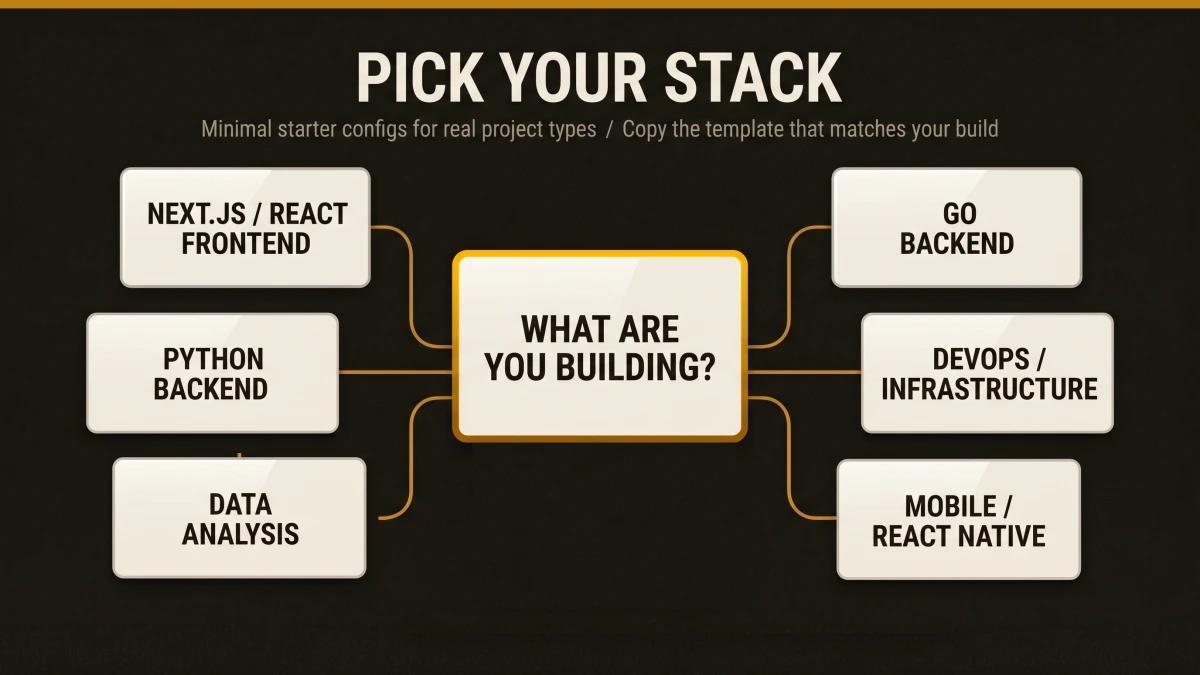
This article gives you something better than a blank canvas or a bloated generator output: six opinionated, minimal SKILL.md starter templates, one for each major project type, ready to copy and customize in under five minutes.
Why Template Size Matters More Than Template Completeness
The instinct to be thorough is the enemy of effective agent configuration. Here is the math that explains why.
The instruction budget is real. Research shows that models reliably follow 150 to 200 discrete instructions total. Claude's system prompt already consumes roughly 50 of those slots. That leaves you with 100 to 150 instructions across your CLAUDE.md, SKILL.md files, and any other configuration. Every unnecessary line crowds out a line that matters.
The 500-line ceiling. Anthropic's official documentation recommends keeping SKILL.md files under 500 lines. Move detailed reference material to separate files in a references/ directory. The body should be a roadmap, a routing guide.
Token costs are front-loaded. A GitHub Issue on the Claude Code repository (Issue #14882) documented users seeing 50,000+ tokens consumed before any conversation started, with individual skills consuming 3,000 to 5,500 tokens each. The progressive disclosure model helps: only the name and description (~100 tokens) load at startup. The full SKILL.md loads when triggered. Reference files load only when needed. But a bloated skill body still burns through the per-skill budget of 5,000 tokens after compaction, and the combined budget across all re-attached skills caps at 25,000 tokens.
Vercel proved compression wins. In Vercel's agent evaluations, a compressed AGENTS.md docs index of just 8KB achieved a 100% pass rate. Skills maxed out at 79%. In 56% of eval cases, the skill was available yet the agent simply chose to skip it. The takeaway: smaller, always-in-context configuration outperforms larger, conditionally-loaded configuration unless the skill is sharply targeted and well-described.
The templates in this article target 20 to 40 lines each. That is intentional. For each line, ask yourself: "Would removing this cause the agent to make mistakes?" If the answer is no, cut it.
SKILL.md vs. Other Config Formats: When Each One Fits
Teams switching between AI coding tools often face the same question: which config file belongs where? The table below compares the four major formats across the dimensions that matter most for day-to-day development.
| Criteria | SKILL.md | .cursorrules | copilot-instructions.md | AGENTS.md |
|---|---|---|---|---|
| Format | YAML frontmatter + Markdown | Plain Markdown | Plain Markdown | Plain Markdown |
| Loading | On-demand (progressive disclosure) | Always loaded | Always loaded | Always loaded |
| Scope | Per-skill directory | Per-project (root) or per-directory | Per-workspace | Per-project |
| Token impact | ~100 tokens at startup, full content on activation | Full content every session | Full content every session | Full content every session |
| Cross-tool support | Yes (20+ tools via open standard) | Cursor only | GitHub Copilot only | Multiple (Codex, Copilot, Claude, Cursor) |
| Supporting files | Yes (scripts/, references/, assets/) | Limited (.cursor/rules/ modules) | Single file only | Single file only |
| Status | Active standard | Legacy format deprecated; migrate to .cursor/rules/ | Active | Active |
| Max recommended size | 500 lines / 5,000 tokens | Varies (shorter is better) | Short, self-contained statements | 8KB compressed index (per Vercel evals) |
| Executable scripts | Yes (via scripts/ directory) |
The key tradeoff: SKILL.md files load conditionally, which preserves your token budget but requires a well-written description to trigger at the right time. Always-loaded formats (AGENTS.md, .cursorrules, copilot-instructions.md) guarantee the agent sees your rules every session, at the cost of consuming context window space whether the rules are relevant or otherwise. For teams using multiple tools, AGENTS.md provides the broadest compatibility, while SKILL.md provides the most granular control. For a full breakdown, read our guide on when to use SKILL.md vs AGENTS.md vs CLAUDE.md.
The Four-Section Anatomy of an Effective SKILL.md
Every template in this article follows the same structure. This anatomy comes from synthesizing Anthropic's official guidance, the Agent Skills open standard at agentskills.io, and patterns from production skills used by Vercel, FastAPI, and Microsoft.
1. Frontmatter (Always Loaded, ~100 Tokens)
The description field controls whether your skill ever activates. Claude uses this text to decide when to load the full skill body. Combined with the optional when_to_use field, this text is truncated at 1,536 characters. The Agent Skills spec caps description alone at 1,024 characters. Pack it with keywords a developer would naturally use when asking for help.
2. Context (What This Project Is)
One to three sentences describing the project archetype. Tech stack, runtime version, key dependencies. This grounds the agent so it generates code that fits your actual environment.
3. Instructions (What to Do and How)
The core rules. Architecture patterns, directory layout, naming conventions, build commands, test commands, error handling patterns. Write in imperative form ("Use named exports exclusively") rather than second person. Anthropic's docs specifically recommend imperative, instructional language.
4. Constraints and Edge Cases
The guardrails. Performance thresholds, security boundaries, platform-specific behaviour, known limitations. This is where stack-specific knowledge lives: the Next.js App Router quirks, the FastAPI async patterns, the Go error handling idioms that differ from what the model learned during training.
The supporting files pattern. For anything that exceeds the body's scope, use the directory structure that Anthropic and GitHub both recommend:
skill-name/
  SKILL.md
  references/    # Detailed docs, loaded on demand
  scripts/       # Executable validation or scaffolding
  assets/        # Config templates, example outputs
Templates by Project Type
Starting from scratch means reinventing patterns that other teams have already solved, tested, and refined. Each template below is ready to copy into your project. Create a .agent/skills/your-skill-name/ directory, paste the template into a SKILL.md file, and customize the bracketed placeholders.
Next.js / React Frontend
---
name: nextjs-frontend
description: >
  Build Next.js App Router applications with React Server Components,
  Tailwind CSS, and TypeScript. Use when creating pages, components,
  API routes, layouts, or writing frontend tests.
---

# Next.js Frontend

## Context
Next.js [version] application using App Router, TypeScript strict mode,
Tailwind CSS, and [state library, e.g. Zustand/Jotai]. Deployed on Vercel.

## Architecture
- Use the app/ directory with file-based routing
- Colocate components in app/_components/ or feature directories
- Server Components are the default; add "use client" only for interactivity
- Data fetching happens in Server Components via async/await
- Use loading.tsx and error.tsx for route-level boundaries

## Code Standards
- Use named exports exclusively
- Props interfaces live in the same file as the component
- Prefer cn() utility (clsx + tailwind-merge) for conditional classes
- All images use next/image with explicit width and height
- Forms use Server Actions with useActionState for progressive enhancement

## Commands
- npm run dev starts the dev server on port 3000
- npm run build && npm run start for production verification
- npm run test runs Vitest; npm run test:e2e runs Playwright
- npx tsc --noEmit for type checking without build

## Constraints
- Route handlers return NextResponse; page components return JSX
- Metadata exports (generateMetadata) belong in page.tsx or layout.tsx
- Middleware runs at the edge; use only Web APIs there
- Keep client bundle under [size target, e.g. 150KB] first-load JS
Python Backend (FastAPI / Django)
---
name: python-backend
description: >
  Build Python web APIs with FastAPI, Pydantic v2, and async SQLAlchemy.
  Use when creating API endpoints, database models, writing tests,
  or configuring middleware. Also covers Django with DRF.
---

# Python Backend

## Context
Python [version]+ web service using FastAPI, Pydantic v2 for validation,
SQLAlchemy 2.0 async, and Alembic for migrations. Tests use pytest with
httpx AsyncClient.

## Architecture
- Domain layer: app/models/ (SQLAlchemy) and app/schemas/ (Pydantic)
- Service layer: app/services/ for business logic
- API layer: app/routers/ with one router per resource
- Dependencies: app/deps.py for FastAPI dependency injection
- Config: app/config.py using pydantic-settings with .env files

## Code Standards
- All endpoints are async; use await for I/O operations
- Return Pydantic models from endpoints (response_model parameter)
- Use Annotated[type, Depends()] for dependency injection
- Error responses use HTTPException with structured detail payloads
- Database sessions use async context managers; commit at the service layer

## Commands
- uvicorn app.main:app --reload starts dev server on port 8000
- pytest -x --tb=short runs tests with fail-fast
- alembic revision --autogenerate -m "description" creates a migration
- ruff check . && ruff format . for linting and formatting
- mypy app/ for type checking

## Constraints
- Background tasks use FastAPI BackgroundTasks, avoid raw asyncio.create_task
- File uploads validate content type and size before processing
- All database queries use parameterized statements (SQLAlchemy handles this)
- Health check at /health returns 200 with {"status": "ok"}
Go Backend
---
name: go-backend
description: >
  Build Go HTTP services with standard library or Chi router,
  structured logging, and table-driven tests. Use when creating
  handlers, middleware, data access layers, or writing Go tests.
---

# Go Backend

## Context
Go [version]+ HTTP service using [Chi/stdlib net/http]. Structured logging
with slog. PostgreSQL via pgx. Configuration through environment variables.

## Architecture
- cmd/server/ contains main.go with server bootstrap
- internal/handler/ for HTTP handlers grouped by domain
- internal/service/ for business logic with interface contracts
- internal/repository/ for database access behind interfaces
- internal/model/ for domain types shared across layers

## Code Standards
- Errors are values; wrap with fmt.Errorf("operation: %w", err)
- Accept interfaces, return structs
- Context flows through every function: first parameter is ctx context.Context
- Use encoding/json tags on all struct fields exposed to HTTP
- Table-driven tests with t.Run subtests in _test.go files

## Commands
- go run ./cmd/server starts the service
- go test ./... runs all tests
- go test -race ./... runs tests with race detector
- go vet ./... and golangci-lint run for static analysis
- go mod tidy after adding or removing dependencies

## Constraints
- Every goroutine respects context cancellation
- HTTP handlers set response headers before writing the body
- Database connections use a pool; max connections set via config
- Graceful shutdown: listen for SIGTERM, drain in-flight requests
- Exported functions have doc comments starting with the function name
DevOps / Infrastructure (Terraform + CI/CD)
---
name: devops-infrastructure
description: >
  Write Terraform modules, CI/CD pipelines, Docker configurations,
  and Kubernetes manifests. Use when creating infrastructure resources,
  writing GitHub Actions workflows, or configuring deployment pipelines.
disable-model-invocation: true
---

# DevOps / Infrastructure

## Context
Infrastructure managed with Terraform [version]+ using AWS provider.
CI/CD through GitHub Actions. Container builds with multi-stage Dockerfiles.
Environments: dev, staging, prod with state in S3 + DynamoDB locking.

## Architecture
- modules/ contains reusable Terraform modules with READMEs
- envs/{dev,staging,prod}/ contains environment-specific root configs
- .github/workflows/ contains CI/CD pipeline definitions
- docker/ contains Dockerfiles and compose configs
- Each module has variables.tf, outputs.tf, main.tf, and versions.tf

## Code Standards
- All Terraform variables have description and type attributes
- Use locals blocks for computed values; keep variable blocks for inputs
- Resources use consistent naming: {project}-{env}-{resource}
- GitHub Actions workflows pin action versions to full SHA hashes
- Dockerfiles use specific base image tags (avoid latest)

## Commands
- terraform init -backend=false && terraform validate for syntax checks
- terraform plan -out=plan.tfplan before any apply
- terraform fmt -recursive for formatting
- tflint --recursive for linting
- checkov -d . for security scanning

## Constraints
- State files are remote only; local state is blocked by backend config
- Secrets go in AWS Secrets Manager or Parameter Store exclusively
- All resources have tags including project, environment, and managed-by
- Destroy operations require manual approval; CI pipelines skip auto-approve
- Module versions are pinned; use version = "~> X.Y" for minor updates
Data Analysis
---
name: data-analysis
description: >
  Analyze datasets with pandas, create visualizations with matplotlib
  and seaborn, write SQL queries, and build data pipelines. Use when
  exploring data, building dashboards, writing ETL scripts, or
  performing statistical analysis in Jupyter notebooks.
---

# Data Analysis

## Context
Python [version]+ data analysis environment. Primary tools: pandas,
numpy, matplotlib, seaborn, and scikit-learn. SQL queries target
[PostgreSQL/BigQuery/Snowflake]. Notebooks use Jupyter.

## Workflow Patterns
- Load data into pandas DataFrames; validate schema before processing
- Chain operations with method chaining (.pipe(), .assign(), .query())
- Visualizations: set figure size, labels, and title on every plot
- SQL: use CTEs for readability; keep nested subqueries to two levels max
- Output: save figures as PNG/SVG, export processed data as Parquet

## Code Standards
- Use pathlib.Path for all file paths
- Column names are lowercase_snake_case after loading
- All DataFrames have explicit dtypes set during read or after transform
- Functions return DataFrames; avoid modifying DataFrames in place
- Notebooks: one logical step per cell, markdown headers between sections

## Commands
- jupyter lab starts the notebook server
- python -m pytest tests/ runs pipeline tests
- python scripts/etl_pipeline.py --input data/raw --output data/processed
- ruff check . && ruff format . for script linting

## Constraints
- Raw data in data/raw/ is read-only; processed data goes to data/processed/
- Large datasets (>1GB) use chunked reading with chunksize parameter
- Credentials for database connections come from environment variables
- Figures include axis labels, legends, and a descriptive title
- Notebook outputs are cleared before committing to version control
Mobile (React Native)
---
name: react-native-mobile
description: >
  Build React Native applications with Expo, TypeScript, and native
  module integration. Use when creating screens, components, navigation,
  animations, or writing mobile-specific tests.
---

# React Native Mobile

## Context
React Native [version] application using Expo SDK [version], TypeScript
strict mode, and React Navigation. Targets iOS and Android.

## Architecture
- app/ directory with Expo Router file-based navigation
- components/ for shared UI components
- hooks/ for custom hooks (data fetching, device APIs)
- services/ for API clients and business logic
- constants/ for theme tokens, dimensions, and config values

## Code Standards
- Use StyleSheet.create() for all styles; avoid inline style objects
- Pressable over TouchableOpacity for all tap targets
- List rendering uses FlashList with estimatedItemSize
- Animations use Reanimated worklets on the UI thread
- Platform-specific code uses .ios.tsx / .android.tsx file extensions

## Commands
- npx expo start launches the dev server with Metro
- npx expo run:ios and npx expo run:android for native builds
- npm run test runs Jest with React Native Testing Library
- npx expo lint for project-wide linting
- eas build --profile preview for test builds

## Constraints
- All touch targets are at minimum 44x44 points for accessibility
- Images use expo-image with placeholder and caching
- Navigation state persists across app restarts in production
- Memory-intensive screens clean up subscriptions in useEffect return
- Fonts load via expo-font with a splash screen until readyHow to Customize a Template in Three Steps
A template you paste unchanged adds zero value over what the agent already knows. These templates are starting points. A template becomes valuable when it reflects the specific patterns and decisions of your project. Here is the three-step process.
Step 1: Fill in the Brackets
Every template contains bracketed placeholders like [version] and [state library]. Replace these with your actual choices. A description that says "Next.js application" is vague. A description that says "Next.js 15 application with Zustand state management and Drizzle ORM" gives the agent enough context to generate code that matches your stack.
Step 2: Add Your Hard-Won Rules
Think about the last three bugs your team shipped. What rule, if the agent had followed it, would have prevented each one? Those rules belong in your skill file. Examples:
- "All API responses include a request_id header for tracing"
- "Database migrations are backward-compatible; add columns as nullable first"
- "Feature flags wrap all new UI behind useFeatureFlag hook"
These project-specific constraints are where a skill file earns its value. Generic advice ("write clean code") wastes tokens. Specific guardrails ("health check endpoint returns 200 with {status: ok}") prevent real mistakes.
Step 3: Cut Everything Obvious
The community has a useful heuristic from the "5 Patterns" article on DEV Community: for each line, ask "Would removing this cause the agent to make mistakes?" If the answer is no, cut it. The agent already knows how to write a for loop, how to import React, and how to define a Python function. Your skill file should cover the things it gets wrong, the patterns it would miss, and the conventions it relies on you to specify.
This also applies to code style rules. If you use ESLint, Prettier, Ruff, or gofmt, those tools already enforce formatting. Spending skill tokens on style rules is like explaining gravity to a physicist.
What Makes a Skill File Effective (and What Makes It Bloated)
These patterns come from analyzing the real production skills listed in the research, from Vercel Engineering's React skill (40+ rules across 8 categories) to Anthropic's own skill-creator meta-skill. For a curated list of high-quality skills, see the Skills Hub.
Effective Skills Share These Traits
The description field is keyword-rich and specific. "Helps with Python" is actively harmful. "Builds FastAPI applications with async SQLAlchemy, Pydantic v2 models, and pytest-based testing. Use when creating API endpoints, database models, or writing tests for Python web services" is actionable. The description determines whether the skill ever loads. In Vercel's testing, poor descriptions meant 56% of skills sat unused even when they were relevant.
Instructions are affirmative. Models follow affirmative instructions more reliably than prohibitions. "Use named exports exclusively" outperforms "Avoid default exports." Every rule in your skill file should tell the agent what to do, and the specific way to do it.
Build and test commands are explicit. Community consensus from multiple sources identifies build and test commands as the highest-value content in any config file. The agent needs to know how to verify its own work. Include the exact command, the expected output format, and what a failure looks like.
The file stays under 500 lines. Anthropic recommends this limit explicitly. The Terraform skill by antonbabenko demonstrates the pattern at scale: a 524-line core SKILL.md with six reference files covering CI/CD, patterns, security, and testing. The body stays focused; the details live in references/.
Every line solves a real problem. The deployment guide from DeployHQ summarizes it well: "Write yours by hand. Every line should earn its place by solving a real problem you have encountered." This is the single most reliable predictor of whether an agent will follow your rules.
Bloated Skills Share These Traits
Everything lives in one file. When reference documentation, API specs, and troubleshooting guides all live in the SKILL.md body, the file exceeds 500 lines and the agent's instruction-following quality drops across the board. Move supplementary content to references/ files.
The description is vague or absent. A vague or absent description means the agent needs a clear signal to decide when the skill applies, yet it has none. The result: the skill loads for irrelevant tasks (wasting tokens) or stays dormant for relevant ones (wasting your time).
Rules duplicate what linters already enforce. Code style rules that your formatter handles (indentation, bracket placement, import sorting) waste tokens. Dedicate those tokens to architectural decisions and project conventions that only a human (or a well-configured skill file) would know.
Instructions describe common knowledge. If the agent would do the right thing without the instruction, the instruction is wasted context. Test this: remove the line, run the agent on a relevant task, and see if the output changes. If it stays the same, the line was noise.
Template Generators and Starter Kits
If you prefer a scaffolded starting point over a blank file, several tools generate SKILL.md files automatically. The quality varies, so treat the output as a first draft and apply the three-step customization process above.
| Criteria | What it does |
|---|---|
| Anthropic Template Skill | Official minimal starter with name, description, and placeholder body. |
| Anthropic Skill Creator | Meta-skill that creates, tests, and optimizes skills iteratively through an evaluation loop. |
| GitHub Make Skill Template | GitHub's scaffolder with a 4-step process and validation checklist. |
| design.dev Generator | Web-based generator with role-based templates for 27+ tools. |
| SkillsMP | Agent Skills marketplace for Claude, Codex, and ChatGPT. Browse and install community skills. |
The same rule applies here as everywhere else: start with the generator output, then cut every line the agent would follow without being told.
These templates come from real projects. At Scaletific, we build production infrastructure across Go, Python, Next.js, and Terraform. The GoldenPath IDP project (scaletific.com) runs 77 certified Python scripts, 17 Terraform modules across 4 AWS environments, a Go-based agent runtime, and multiple Next.js applications. The DevOps template reflects patterns we use daily in production. The Python and Go templates encode the conventions our agents follow when contributing to these codebases. Every template in this article has been tested against real work.
Start Building
These templates give you a 30-second head start on every new project. Copy the one that matches your stack, customize it following the three-step process, and keep it lean. For more skill files across additional project types and tools, explore the Skills Hub. For a deep dive into how SKILL.md files work, how agents discover and load them, and how progressive disclosure keeps your token budget intact, read the full SKILL.md explainer.
The most effective skill file is the one your agent actually follows. Keep it short, make it specific, and let every line earn its place.
