

You have a CLAUDE.md that runs 400 lines. It includes your build commands, your coding standards, a deployment checklist, a PR review template, and a database migration playbook. Every time Claude Code starts a session, it loads the entire thing. Every turn, every question, every autocomplete. That is 8,000 tokens of context consumed before Claude reads a single line of your code.
Then your teammate opens the same project in Cursor. Cursor reads `.cursorrules`, which has a different copy of the same coding standards, last updated three months ago. Half the rules have drifted. A third developer uses Copilot, which reads `copilot-instructions.md`, a file that was accurate in January but has since fallen behind two major refactors.
This is the configuration file problem. Developers maintain duplicate instructions across three or four files, waste tokens loading everything into every session, and still get inconsistent agent behaviour across tools. One developer on Medium described it bluntly: their 1,200-line CLAUDE.md was "eating 42,000 tokens per conversation." Converting to modular skills cut that cost by 83%.
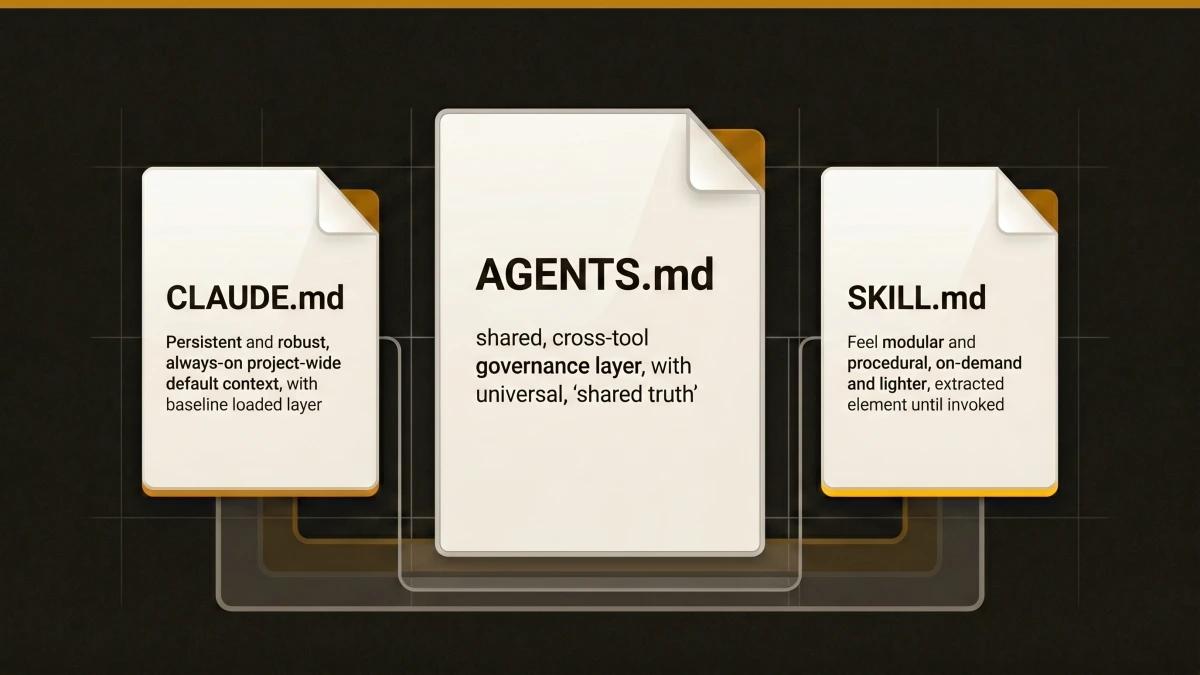
The solution is straightforward once you understand what each file is designed for. CLAUDE.md holds project-wide facts that Claude Code should know every session. AGENTS.md holds universal rules that every AI tool should follow. SKILL.md holds task-specific procedures that load only when you need them. Each file has a purpose, a loading cost, and an audience. Putting the right content in the right file saves tokens, eliminates drift, and makes every tool on your team work from the same source of truth.
This guide shows you exactly where each piece of configuration belongs.
This article covers the configuration layer. For skill authoring, browse our AI Agent Skills Hub. For the SKILL.md format itself, read What Is SKILL.md and How to Write Your First One.
What Each File Does
Before choosing where to put your instructions, understand the design intent behind each file. They overlap in what they can contain, but they differ in who reads them, when they load, and what they cost.
CLAUDE.md: Project-Wide Defaults for Claude Code
CLAUDE.md is a markdown file that gives Claude Code persistent, project-specific instructions. Claude reads it at the start of every session. Think of it as onboarding documentation for an agent with zero memory between sessions.
Claude Code supports a five-level hierarchy:
- Managed policy: /Library/Application Support/ClaudeCode/CLAUDE.md (organisation-wide, IT-managed)
- User-level: ~/.claude/CLAUDE.md (personal preferences, all projects)
- Project root: ./CLAUDE.md or ./.claude/CLAUDE.md (shared via version control)
- Local: ./CLAUDE.local.md (personal overrides, gitignored)
- Subdirectory: lazy-loaded when Claude reads files in that directory
All discovered CLAUDE.md files concatenate. They stack rather than override each other.
What belongs here: Build commands, coding conventions, project architecture, naming conventions, "always do X" rules. Facts Claude should hold in every session.
What belongs elsewhere: Multi-step procedures (move to Skills), path-specific rules (move to `.claude/rules/`), instructions that should apply to every AI tool (move to AGENTS.md).
Token cost: Every token in CLAUDE.md loads before Claude reads your code, before it reads your task. A 100-line file costs roughly 2,000 tokens per turn. A 400-line file costs roughly 8,000 tokens per turn. Anthropic recommends keeping each CLAUDE.md file under 200 lines.
AGENTS.md: Cross-Agent Governance for Every Tool
AGENTS.md is an open standard for guiding coding agents. It provides a single, predictable location where project teams offer context and instructions to any AI coding tool that works on the codebase. It is a README for AI agents.
Adopted by 60,000+ open-source projects, AGENTS.md was donated to the Agentic AI Foundation (AAIF) under the Linux Foundation, alongside Anthropic donating MCP and Block donating Goose.
Tools that read AGENTS.md natively: Cursor, GitHub Copilot, Gemini CLI, Windsurf, Aider, Zed, Warp, RooCode, Codex, Devin, Factory, Jules, VS Code, Augment, and others.
How Claude Code uses it: Claude Code reads CLAUDE.md, which imports AGENTS.md with a one-line reference:
@AGENTS.md

## Claude Code Specifics
Use plan mode for changes under `src/billing/`.
What belongs here: Architecture and conventions that all agents should follow regardless of which tool a developer uses. Build commands, test workflows, PR guidelines, coding standards, directory layout, constraints the agent is unlikely to infer from code alone.
What belongs elsewhere: Claude-specific behaviour rules (tone, format, permission overrides), sub-agent delegation settings, and session management belong in CLAUDE.md. Task-specific procedures belong in SKILL.md.
SKILL.md: Task-Specific Instructions That Load on Demand
SKILL.md is a file-based module Claude discovers, evaluates for relevance, and loads dynamically. Each skill is a directory with a SKILL.md entrypoint containing YAML frontmatter and markdown instructions. Skills extend Claude's capabilities with task-specific workflows, reference material, or executable scripts. The concept follows the Agent Skills open standard, which works across multiple AI tools, though the SKILL.md format with YAML frontmatter is Claude Code-specific.
The critical design principle: unlike CLAUDE.md content, a skill's body loads only when it is used. Long reference material costs almost nothing until you need it.
When to create a skill: When you keep pasting the same playbook, checklist, or multi-step procedure into chat. When a section of CLAUDE.md has grown from a fact into a procedure. When the instructions are useful for one task but irrelevant for most sessions.
Skills live at four levels:
- Enterprise: managed settings (all users in your organisation)
- Personal: ~/.claude/skills/<skill-name>/SKILL.md (all your projects)
- Project: .claude/skills/<skill-name>/SKILL.md (this project only)
- Plugin: <plugin>/skills/<skill-name>/SKILL.md (where plugin is enabled)
Loading behaviour: Only skill descriptions load into context at session start (part of the 1% context-window budget for skill listings). The full skill body loads only when invoked, either by you with /skill-name or automatically when Claude determines the skill is relevant. After compaction, the most recent invocation of each skill is re-attached, keeping the first 5,000 tokens each, with a combined budget of 25,000 tokens across all invoked skills.
Token cost: Near-zero until invoked. Average skill body is roughly 750 tokens. Supporting reference files within skills average roughly 700 tokens. Compare this to the same content sitting in CLAUDE.md, where it would cost 750+ tokens on every single turn.
The Other Configuration Files
Several tool-specific configuration files exist alongside this trio:
.cursorrules / .cursor/rules/ (Cursor IDE): Project-specific instructions for Cursor's AI. The legacy single-file .cursorrules at the project root still works but is deprecated. The modern approach uses .cursor/rules/ with .mdc files. Rules come in four types: Always (every request), Auto Attached (file-pattern matching), Agent Requested (Cursor determines relevance), and Manual (developer adds explicitly). Cursor also reads AGENTS.md natively.
.github/copilot-instructions.md (GitHub Copilot): Repository custom instructions for Copilot. Three instruction types exist: repository-wide (copilot-instructions.md), path-specific (.github/instructions/NAME.instructions.md with applyTo frontmatter), and AGENTS.md files stored anywhere in the repo. Copilot reads AGENTS.md natively.
.windsurfrules / .windsurf/rules/ (Windsurf IDE): Instructions for Cascade, Windsurf's AI agent. Modern format uses .windsurf/rules/ directory with markdown files. Activation modes include always_on, manual, model_decision, and glob (file-pattern matching). Windsurf also reads AGENTS.md natively.
The Decision Matrix
This table compares every dimension that matters when choosing where to put your instructions.
| Criteria | CLAUDE.md | SKILL.md | AGENTS.md | .cursorrules | copilot-instructions.md | .windsurfrules |
|---|---|---|---|---|---|---|
| Scope | Project-wide facts | Task-specific workflows | Project-wide, tool-agnostic | Project-wide or path-scoped | Project-wide or path-scoped | Project-wide or pattern-scoped |
| Audience | Claude Code only | Claude Code only | All AI coding tools (15+) | Cursor only | Copilot only | Windsurf only |
| Loading | Every session (automatic) | On-demand (when invoked) | Varies by tool (import in Claude) | Always / Auto / Agent / Manual | Auto-attached to chat | always_on / manual / model_decision / glob |
| Token cost | Constant baseline every turn | Near-zero until invoked | Same as host file when imported | Per-rule cost based on type | Included in chat context | Per-rule cost based on activation |
| Ownership | Team (checked in) or individual (.local.md) | Team or individual (~/.claude/skills/) | Team standard (checked in) | Team (checked in) | Team (checked in) | Team (checked in) |
| Cross-tool | Claude Code only | Claude Code (Agent Skills standard partial) | Yes (60K+ projects, 15+ tools) | Also reads AGENTS.md | Also reads AGENTS.md | Also reads AGENTS.md |
| Best for | Claude-specific behaviour, session context | Reusable procedures, checklists, scripts | Universal rules all agents follow | Cursor-specific patterns | Copilot-specific patterns | Windsurf-specific patterns |
Quick Decision Guide
Use AGENTS.md when your team uses multiple AI tools and you want one shared set of coding standards, architecture rules, and build commands that every tool respects.
Use CLAUDE.md when you use Claude Code and need Claude-specific instructions (sub-agent delegation, session management, permission overrides) or want to import AGENTS.md plus Claude-specific additions.
Use SKILL.md when you have a repeatable workflow, checklist, deployment procedure, or reference doc that costs too many tokens to load every session. Skills load on-demand and keep your baseline context lean.
Use tool-specific files when you need tool-specific features that go beyond what AGENTS.md offers (Cursor rule types, Copilot path-specific instructions, Windsurf activation modes).
Token Budget Reality
The cost of configuration files is invisible until it compounds. Every token in your always-loaded files competes with your actual code, your actual task, your actual conversation. Here is what that looks like in practice.
The 42,000-Token CLAUDE.md
One developer documented their experience on Medium. Their CLAUDE.md had grown to 1,200 lines. Build commands, coding standards, deployment procedures, PR review checklists, database migration playbooks, incident response protocols. All in one file. Every session, every turn, Claude loaded all of it: roughly 42,000 tokens of context consumed before any work began.
The fix was modular skills. The deployment procedure became `.claude/skills/deploy/SKILL.md`. The PR review checklist became `.claude/skills/pr-review/SKILL.md`. The migration playbook became `.claude/skills/db-migration/SKILL.md`. The CLAUDE.md shrank to project facts and conventions. Total token savings: 83%.
The ETH Zurich Finding
A recent ETH Zurich study tested 138 repository instances across 5,694 pull requests. The finding challenged a core assumption: more instructions produce better AI output.
They found the opposite. LLM-generated configuration files reduced agent success rates by roughly 3% on average while increasing inference costs by 20% or more. In the worst cases, detailed configuration files pushed inference costs up by 159%. Human-written files were marginally useful, but only when kept minimal. The researchers recommended limiting instructions to details the agent is unlikely to discover from the codebase itself: custom build commands, unconventional tooling, project-specific constraints that live only in tribal knowledge.
Every line in your configuration files should earn its place by solving a real problem you have encountered. Speculative instructions ("in case the agent tries to...") add cost without adding value.
The Three-Layer Token Architecture
The most efficient configuration follows a progressive disclosure pattern. Layer 0 loads always. Layer 1 loads conditionally. Layer 2 loads on demand.
| Criteria | Files | Loading | Typical Budget |
|---|---|---|---|
| Layer 0: Always-on | CLAUDE.md + unconditional rules | Every session | ~1,900 tokens |
| Layer 1: Conditional | Path-scoped .claude/rules/ | When matching files are open | Varies by rule count |
| Layer 2: On-demand | Skills (SKILL.md) | When invoked | ~750 tokens per skill |
| Layer 3: Deep reference | Supporting files within skills | When skill reads them | ~700 tokens per file |
A well-structured project keeps Layer 0 lean (under 200 lines), uses Layer 1 for path-specific conventions, and pushes all procedures into Layer 2. The result is a baseline context cost under 2,000 tokens instead of 20,000+.
Real-World Token Numbers
- A 100-line CLAUDE.md: ~2,000 tokens (reasonable baseline)
- A 400-line CLAUDE.md: ~8,000 tokens (getting expensive)
- An 800-line CLAUDE.md: ~20,000 tokens (problematic)
- An average skill body: ~750 tokens (loaded only when needed)
- MCP skill injection when misconfigured: ~25,000 tokens per tool call
- GitHub issue #49593 documents a bug where Claude Code v2.1.111 introduced roughly 14% context window bloat at session startup (from 8% to 22%)
At $3 to $15 per million tokens, a developer running a bloated CLAUDE.md across daily sessions spends noticeably more than a developer with a lean, modular setup. The savings compound across teams.
Three Recommended Project Structures
Minimal: Solo Developer, Single Tool
For solo developers using Claude Code exclusively, a single CLAUDE.md is sufficient. Keep it under 200 lines. Focus on facts Claude is unlikely to infer from your codebase alone.
my-project/
  CLAUDE.md               # Project facts, build commands, conventions (~100 lines)
Content example: Build commands, test commands, preferred libraries, naming conventions, directory layout. If a section grows into a multi-step procedure, that is the signal to extract it into a skill.
Standard Team: CLAUDE.md + Skills
For teams using Claude Code as their primary AI tool, add AGENTS.md as the shared foundation and use skills for procedures.
my-project/
  AGENTS.md                              # Tool-agnostic rules all agents follow
  CLAUDE.md                              # Imports @AGENTS.md + Claude-specific additions
  .claude/
    settings.json                        # Permissions, hooks (checked in)
    settings.local.json                  # Personal overrides (gitignored)
    rules/
      code-style.md                      # Always-on coding conventions
      testing.md                         # Always-on test requirements
      api-design.md                      # Path-scoped: paths: ["src/api/**"]
    skills/
      deploy/
        SKILL.md                         # Deployment procedure (on-demand)
      pr-review/
        SKILL.md                         # PR review checklist (on-demand)
      db-migration/
        SKILL.md                         # Database migration steps (on-demand)
        scripts/
          validate.sh                    # Validation script bundled with skill
This setup gives you a lean always-on baseline (AGENTS.md + CLAUDE.md under 200 lines combined), path-scoped rules that load only when relevant, and procedures that load only when invoked. A handful of focused skills cover most team workflows: deploy, review, migrate, scaffold, test.
Multi-Tool Team: AGENTS.md + Everything
For teams where developers use Cursor, Copilot, Claude Code, and Windsurf across different roles, AGENTS.md becomes the single source of truth. Tool-specific files add only what goes beyond AGENTS.md's capabilities.
my-project/
  AGENTS.md                              # Universal rules (read by all tools)
  CLAUDE.md                              # @AGENTS.md + Claude-specific (sub-agents, permissions)
  .cursor/
    rules/
      framework.mdc                      # Cursor-specific (Auto Attached for .tsx files)
  .github/
    copilot-instructions.md              # Copilot-specific overrides
    instructions/
      python.instructions.md             # Path-specific: applyTo: "**/*.py"
  .windsurf/
    rules/
      conventions.md                     # Windsurf-specific (always_on)
  .claude/
    settings.json
    rules/
      api-design.md                      # Claude-specific path-scoped rules
    skills/
      deploy/SKILL.md                    # On-demand deployment workflow
      incident/SKILL.md                  # On-demand incident response
The key principle: AGENTS.md holds everything shared. Tool-specific files hold only what requires tool-specific features. If a rule works in AGENTS.md, it stays in AGENTS.md. Duplication is how drift begins.
Content Routing Table
Use this table to decide where each piece of configuration belongs.
| Criteria | Destination | Reason |
|---|---|---|
| Build commands, test commands | AGENTS.md | Every tool should know these |
| Project architecture overview | AGENTS.md | Universal context |
| Coding standards, naming conventions | AGENTS.md | Universal rules |
| "Always use X library for Y" | AGENTS.md or .claude/rules/ | Convention (always needed) |
| Claude sub-agent delegation rules | CLAUDE.md | Claude-specific feature |
| Personal sandbox URLs, local env | CLAUDE.local.md | Individual, gitignored |
| Deployment procedure (12 steps) | .claude/skills/deploy/SKILL.md | On-demand, multi-step |
| PR review checklist | .claude/skills/pr-review/SKILL.md | On-demand workflow |
| API design rules for src/api/ | .claude/rules/api-design.md with paths: | Path-scoped, always when relevant |
| Migration playbook | .claude/skills/migrate/SKILL.md | On-demand, rare |
| Framework-specific patterns | Tool-specific rules (.cursorrules, etc.) | Tool-specific features needed |
Five Rules for Effective Configuration
These patterns come from developer experience reports, the ETH Zurich research, and the official documentation for each tool. Teams that follow them report leaner context budgets, faster agent responses, and fewer instruction-drift incidents.
1. Keep CLAUDE.md Under 200 Lines
Anthropic's official recommendation is under 200 lines per CLAUDE.md file. At 200 lines, a CLAUDE.md costs approximately 4,000 tokens per turn. That leaves room for your code, your task, and your conversation. Teams that keep CLAUDE.md lean report better instruction adherence because the agent has fewer competing directives to weigh.
The signal that CLAUDE.md has grown too large: any section that reads like a procedure with sequential steps belongs in a skill instead.
2. Use AGENTS.md as the Single Source of Truth
When three developers use three tools and maintain three configuration files independently, drift is inevitable. By the third month, the `.cursorrules` says "use Vitest" while the `copilot-instructions.md` still says "use Jest." AGENTS.md eliminates this by providing one file that every tool reads.
Tools like RulesForAI and Rule-Porter can generate tool-specific files from a single AGENTS.md input, but the better approach is to need fewer tool-specific files in the first place. If a rule works in AGENTS.md, keep it there.
3. Extract Procedures into Skills
A fact belongs in CLAUDE.md: "We use PostgreSQL 16 with pgvector." A procedure belongs in SKILL.md: "How to run a database migration (check current version, create migration file, validate schema, run against test DB, verify rollback, apply to staging, monitor for 30 minutes, apply to production)."
The distinction is frequency of use. Facts apply to every session. Procedures apply to specific tasks. Loading a 12-step deployment procedure into every coding session where you are writing a React component wastes context on instructions that sit idle.
4. Write Only What the Agent Is Unlikely to Infer
The ETH Zurich study found that detailed instruction files often reiterate information the agent can already discover from the codebase: the language, the framework, the test runner, the file structure. These redundant instructions add cost without adding value.
Effective configuration files contain surprises: the custom build command that requires a specific flag, the unconventional directory structure that differs from framework defaults, the project-specific constraint that comes from a business requirement. If removing a line would cause a real failure, the line earns its place. If the agent would figure it out from the code, the line is overhead.
5. Separate Rules from Skills
Claude Code offers both `.claude/rules/` and `.claude/skills/`. They look similar (both are markdown files in the `.claude/` directory) but serve distinct purposes. Rules load into context every session or when matching files open. Skills load only when invoked.
A coding standard ("use 2-space indentation in all TypeScript files") belongs in a rule. A deployment playbook ("how to deploy to staging") belongs in a skill. The distinction maps directly to loading behaviour: always-on context versus on-demand context. Mixing them up means either paying always-on costs for rarely-used procedures or missing critical conventions because they only load when explicitly requested.
The Ecosystem at a Glance
Every major AI coding tool has a configuration system. Most of them also read AGENTS.md. This table shows the current landscape.
| Criteria | Primary Config File | Reads AGENTS.md? | Modular/Skill Support |
|---|---|---|---|
| Claude Code | CLAUDE.md | Via @AGENTS.md import | SKILL.md (full system) |
| Cursor | .cursor/rules/*.mdc | Yes (natively) | Agent Requested rules |
| GitHub Copilot | .github/copilot-instructions.md | Yes (natively) | Path-specific .instructions.md |
| Windsurf | .windsurf/rules/*.md | Yes (natively) | glob/model_decision activation |
| Gemini CLI | GEMINI.md | Yes (natively) | Limited |
| Codex CLI | AGENTS.md (primary) | Yes (primary) | Limited |
| Aider | AGENTS.md (primary) | Yes (primary) | Limited |
| Zed | .zed/rules | Yes (natively) | Limited |
| Warp | AGENTS.md | Yes (primary) | Limited |
| Augment | Guidelines + AGENTS.md | Yes (natively) | Guidelines system |
The trend is clear: AGENTS.md is becoming the shared base layer across the ecosystem. Tool-specific files handle tool-specific features. Skills handle on-demand procedures. The three layers work together.
What to Do Next
Start with AGENTS.md. If you maintain only one configuration file, AGENTS.md gives you the widest cross-tool coverage. Write your build commands, coding standards, and architecture overview. Keep it under 200 lines. Every tool your team uses will pick it up.
Add CLAUDE.md for Claude Code users. Import AGENTS.md with `@AGENTS.md` at the top, then add Claude-specific settings below. Sub-agent delegation, permission overrides, session management. This file should be short: 20 to 50 lines of Claude-only additions.
Extract procedures into skills. Any instruction that reads like a step-by-step playbook belongs in `.claude/skills/<name>/SKILL.md`. Deployment, migration, incident response, PR review. These load on-demand, keeping your baseline context lean and your token budget healthy.
Browse the Skills Hub for pre-built skills and templates you can adopt or adapt: AI Agent Skills Hub.
Read the SKILL.md explainer for a complete guide to the format, frontmatter fields, and best practices: What Is SKILL.md and How to Write Your First One.
Grab starter templates for AGENTS.md, CLAUDE.md, and SKILL.md that you can drop into your project today: SKILL.md Templates and Examples for Every Project Type.
Once you know which file to use, the next question is what to put inside it. For ready-to-copy templates by stack, see the starter SKILL.md templates by project type. For curated picks the community already validated, see the 21 best SKILL.md files every developer should install.
