
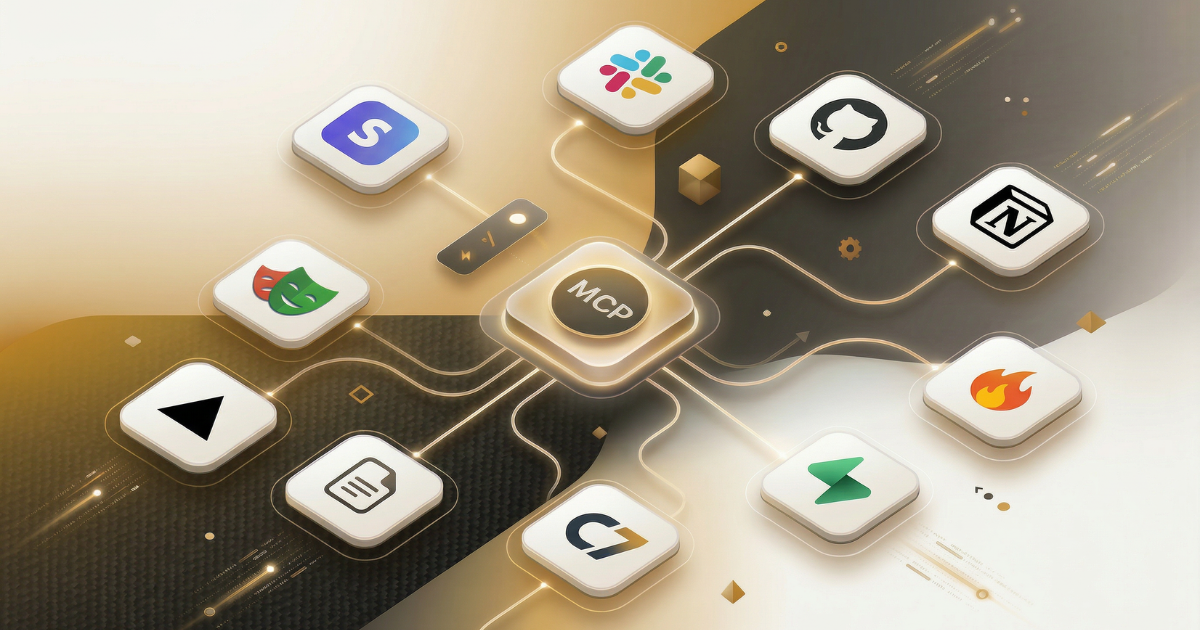
The MCP ecosystem grew fast enough in 2025 that "which servers should I install?" became a real decision. There are hundreds of published servers now. Most automation builders need fewer than ten. Choosing wrong means wasted setup time, security headaches, or servers that go stale the moment you depend on them.
This is not a directory listing. Every server in this article was evaluated against the same criteria that automation builders actually care about. The goal is to help you choose a working stack, not browse options.
How We Evaluated
Four criteria drove every verdict in this article.
Setup friction. How many steps from zero to first tool call? Local servers using stdio require spawning a process and configuring it in your client. Remote servers using Streamable HTTP require OAuth setup. A server that takes 30 minutes to configure is not a server most teams will maintain.
Capabilities. What primitives does it expose? Tools only, or also resources and prompts? How many tools? Are they composable with other servers in a realistic pipeline?
Production readiness. Is this an official vendor implementation with a maintenance commitment, or a community-built server that may go unmaintained? Does it handle authentication, rate limiting, and error recovery?
Blast radius. What can go wrong if the AI misuses this server? A read-only web scraper and a write-capable database connector carry fundamentally different risk profiles. Both have their place. Neither should be misconfigured.
Maintenance cadence. The MCP ecosystem moves fast. A server that was accurate six months ago may already expose deprecated endpoints or lack support for new protocol features. Official vendor servers update alongside their products. Community servers vary.
A note on security before you install anything
Start with read-only servers. Scope each server to a narrow blast radius: per-project API keys, limited directory access, dev or test data only. Log what gets called. An MCP server with write access to production data is closer to a microservice than an npm package, and should be treated accordingly.
The 10 Servers
1. Firecrawl MCP
The web intelligence layer for automation builders.
What it does. Turns any URL into clean, LLM-optimized markdown. Scraping, crawling, search, and an /interact feature for dynamic pages that need browser interaction. Five distinct tool categories: scrape, search, crawl, map, and interact.
Setup. Official server at github.com/firecrawl/firecrawl-mcp-server. Requires a Firecrawl API key. Install via npm or pip, add config JSON to your client. Approximately 3 minutes from install to first tool call.
Strengths. Handles JavaScript-rendered pages. Removes navigation, advertisements, and boilerplate automatically. Used by 500,000+ developers across 80,000+ companies. The interact mode handles dynamic SPAs where static scraping falls short.
Watch-outs. Firecrawl is a paid API with a free tier. Very interactive flows may still require interact mode rather than basic scrape. Paywalled content remains blocked by design.
Verdict. If your pipeline needs to read the web, this is the first server to install. Everything else can wait.
Install now. Add Firecrawl MCP to Claude Code in one command:
claude mcp add firecrawl --url https://mcp.firecrawl.dev/your-api-key/v2/mcpReplace your-api-key with your Firecrawl API key. The server is available immediately after adding it.
What we've seen at Automation Switch. MCPs are our first point of call for practically everything. The first question we ask when evaluating any tool is: "Is there an MCP for it?" If there is, we wire it up and let our agents work through it. With Firecrawl, we started by using the API directly. Once we began working with AI coding agents, we switched to the MCP so agents could invoke web scraping as a skill within their workflow. The difference was immediate: agents that previously needed custom API wrapper code could call Firecrawl tools natively. We found so much value in MCP-first workflows that we built our own MCP index at automationswitch.com/mcp to make discovery easier for builders doing the same.
2. GitHub MCP
The codebase awareness layer.
What it does. Live access to repositories, code search, pull requests, issues, commit history, and branch management. The difference between an agent that talks about code and an agent that knows your actual codebase.
Setup. Official server from github.com/github/github-mcp-server. Requires a GitHub Personal Access Token or OAuth app. Well-documented setup. Approximately 5 minutes.
Strengths. Official GitHub implementation, maintained alongside the platform. Outperforms context-dumping for large or monorepo codebases. Works across all repository types. Code search returns actual matches, not hallucinated references.
Watch-outs. Read-only token scopes work for most use cases. Write access (creating pull requests, pushing commits) requires careful scope management and should only be granted to agents with clear authorization flows.
Verdict. Essential for any dev-facing automation pipeline. Required if agents need to reason about code.
Install now. Add GitHub MCP to Claude Code:
claude mcp add -s user -t http github https://api.githubcopilot.com/mcp/Authenticate with your GitHub account when prompted. Your repositories are accessible immediately.
3. Notion MCP
The knowledge base layer.
What it does. Read and write access to your Notion workspace. Pages, databases, comments, and workspace search. Enables the pattern where Notion serves as a CMS and the AI agent acts as a writer or reader.
Setup. Official server from Notion. Setup guide at developers.notion.com/guides/mcp. Requires a Notion internal integration token. Works with Claude, Cursor, and Claude Code. Approximately 3 minutes.
Strengths. Official vendor implementation with a maintenance commitment. Turns Notion from a static context dump into a live read/write workspace for AI pipelines. Widely adopted by content teams using AI-as-writer workflows.
Watch-outs. Write access means the AI can modify or overwrite pages. Use with caution in shared workspaces. Scope the integration token to only the pages or databases the agent needs.
Verdict. The right server for teams whose knowledge base lives in Notion. Especially valuable when content moves through Notion as part of a production workflow.
Install now. Add Notion MCP to Claude Code:
claude mcp add -s user -t http notion https://mcp.notion.com/mcpComplete the OAuth flow to connect your Notion workspace. Pages and databases scoped to the integration become available to your agent.
What we've seen at Automation Switch. Our entire content pipeline runs through Notion MCP. The Articles database, monetisation metadata, taxonomy checklists, and publishing workflow all live in Notion. AI agents read from and write to these databases through the MCP, which means content production, taxonomy validation, and SEO checks happen without anyone switching context to the Notion UI. The Notion-to-Sanity sync that powers our site reads from the same database the agents write to.
4. Vercel MCP
The deployment layer.
What it does. Search Vercel documentation, manage projects and deployments, inspect deployment logs, manage environment variables, and configure domains. Closes the loop between code changes and deployment status.
Setup. Official server at vercel.com/docs/agent-resources/vercel-mcp. Remote server using Streamable HTTP. OAuth-based authentication. Integrates with Claude Code natively as a plugin. Approximately 5 minutes.
Strengths. Official Vercel implementation. Remote server, so no local process to manage. The plugin integration with Claude Code means setup is minimal for teams already on the platform.
Watch-outs. Deployment operations are irreversible. Treat write-capable tools in this server with the same care as production CLI access. Misconfigured environment variable operations can affect live deployments.
Verdict. Required for teams deploying on Vercel. Eliminates the context switch between coding and checking deployment status.
Install now. Add Vercel MCP to Claude Code:
claude mcp add -s user -t http vercel https://mcp.vercel.comComplete the OAuth flow to connect your Vercel account. Projects, deployments, and environment variables become accessible to your agent.
5. Supabase MCP
The persistence layer for AI-native applications.
What it does. Full Postgres access: queries, schema inspection, table management, and Row Level Security policy awareness. Authentication operations included.
Setup. github.com/supabase-community/supabase-mcp. Requires Supabase project credentials. Approximately 10 minutes including credential configuration.
Strengths. RLS-aware, meaning the AI works within your existing permission model rather than bypassing it. Full-stack backend-as-a-service access from a single server. Pairs well with Firecrawl (scrape into Supabase) and Notion (plan in Notion, execute with Supabase).
Watch-outs. Start read-only. A write-capable Supabase MCP connected to production data carries significant blast radius. Use separate credentials for dev, test, and production environments.
Verdict. The database layer for builders working in the Supabase ecosystem. High commercial value when paired with a web intelligence server.
Install now. Add Supabase MCP to Claude Code:
claude mcp add -s user -t http supabase https://mcp.supabase.com/mcpConnect your Supabase project when prompted. Start with a read-only connection to a development database.
What we've seen at Automation Switch. Supabase is the persistence layer in our PrecisionReach stack (Firecrawl + Supabase + CrewAI + Streamlit). Firecrawl scrapes and structures web data, Supabase stores it, and CrewAI agents query it through the Supabase MCP when running analysis workflows. The MCP layer means agents can query, insert, and manage data without custom database wrapper code.
6. Playwright MCP / Browserbase
The browser interaction layer.
What it does. Real browser automation: clicking, form filling, multi-step navigation, screenshot capture, DOM inspection, and cookie or session management. Handles everything that requires actual browser interaction rather than static page fetching.
Setup. Playwright MCP runs locally with a headless Chromium installation. Browserbase MCP connects to cloud browser sessions. Local Playwright setup requires installing Playwright and its browser binaries. Approximately 15 minutes for local setup.
Strengths. Handles login flows, multi-step navigation, and JavaScript-heavy SPAs where static scraping cannot reach. Playwright is the established standard for browser automation. Browserbase adds cloud session management for teams that need concurrent browser access.
Watch-outs. Heavier than a scraping server. Use Firecrawl first and escalate to Playwright only when interaction is genuinely required. Local Playwright adds process overhead to your host machine.
Verdict. The right escalation path from Firecrawl. Add it when your pipeline hits a page that requires clicking, logging in, or navigating multi-step flows.
Install now. Add Playwright MCP to Claude Code:
claude mcp add playwright npx @playwright/mcp@latestPlaywright installs its browser binaries on first run. No API key required for local use.
7. Filesystem MCP
The baseline every local workflow needs.
What it does. Scoped read and write access to local directories. Read files, write files, list directories, and search within allowed paths. Without it, the agent cannot see your local codebase.
Setup. Official reference implementation at github.com/modelcontextprotocol/servers. Included in Claude Desktop by default. Configuration specifies allowed directories. Approximately 2 minutes.
Strengths. The foundation. Strict directory scoping prevents accidental access to paths outside the allowed list. Simple, well-maintained reference implementation.
Watch-outs. Anything outside the configured allowed directories is invisible to the agent. Plan your directory scoping carefully before your first session. If you need terminal access alongside file access, consider Desktop Commander.
Verdict. Install this before anything else. Every other server assumes the agent can read and write local files.
Configuration. Filesystem MCP uses local stdio transport and is configured via your client's settings (e.g., .claude/settings.json or Claude Desktop config). Specify the allowed directories explicitly. There is no remote install command because the server runs as a local process.
8. Slack MCP
The team communication layer.
What it does. Read channels, search messages, post updates, and manage notifications. Turns Slack from a passive notification surface into an active channel for agent communication.
Setup. Official Slack MCP. Requires a Slack OAuth app with appropriate bot scopes. Approximately 10 minutes including OAuth app configuration.
Strengths. Useful for pipelines that need human approval steps or status broadcasting. Enables async human-in-the-loop flows: the agent posts a summary, a human approves, the pipeline continues.
Watch-outs. Posting scopes can generate noise. Scope automated posts to specific channels. Avoid granting the agent access to channels that contain sensitive conversations.
Verdict. The right server for teams that route pipeline status through Slack. Especially valuable for multi-step workflows that require human checkpoints.
Install now. Add Slack MCP to Claude Code as a plugin:
claude plugin install slackThe Slack MCP server is automatically configured when the plugin loads. You will be prompted to authenticate into your Slack workspace via OAuth.
For Claude Desktop: open Settings, go to Connectors, click + to add a connector, find Slack, and complete the OAuth flow to connect your workspace.
9. Stripe MCP
The financial intelligence layer.
What it does. Customer lookup, subscription management, payment history, and invoice queries. Answers real business questions like "which customers haven't paid?" or "what is MRR this month?"
Setup. Official Stripe MCP. Requires a Stripe API key. Approximately 5 minutes.
Strengths. Official implementation with Stripe's maintenance commitment. High commercial value for SaaS operators and finance teams. Enables AI to surface financial data without writing custom SQL or API wrappers.
Watch-outs. Read-only for virtually every production use case. Write access to billing operations carries extreme blast radius. Never grant create or charge capabilities without robust authorization controls in place.
Verdict. High value for SaaS operators. Install with a read-only API key and treat any write capabilities as a separate, carefully scoped integration.
Install now. Add Stripe MCP to Claude Code:
claude mcp add -s user -t http stripe https://mcp.stripe.comUse a restricted API key with read-only permissions. Never connect write-capable keys to production Stripe data without explicit authorization controls.
10. Context7 / Documentation MCP
The quality layer for code-generating agents.
What it does. Fetches current, version-specific library documentation, not the training data the model was trained on months ago. Answers "how do I use X in version Y?" with live documentation.
Setup. github.com/upstash/context7. Lightweight setup. No API key required for basic use. Approximately 2 minutes.
Strengths. Eliminates hallucinated APIs. When an agent generates code against a library it was trained on six months ago, it often uses deprecated or renamed methods. Context7 closes this gap by fetching current docs at the time of the request. Especially valuable in fast-moving ecosystems like the Vercel AI SDK, LangChain, and n8n.
Watch-outs. Documentation coverage depends on what is indexed. Some niche libraries may not be available yet.
Verdict. Essential quality infrastructure for code-generating agents. Install it alongside any server that helps agents write or modify code.
Install now. Add Context7 to Claude Code:
claude mcp add context7 -- npx -y @upstash/context7-mcp@latestNo API key required for basic use. The server fetches live documentation on demand.
Comparison Table
| Criteria | Server | Category | Transport | Setup Time | Blast Radius |
|---|---|---|---|---|---|
| Row | Firecrawl | Web intelligence | Streamable HTTP | ~3 min | Low (read) |
| Row | GitHub | Code / version control | Streamable HTTP | ~5 min | Medium |
| Row | Notion | Knowledge base | Streamable HTTP | ~3 min | Medium |
| Row | Vercel | Deployment | Streamable HTTP | ~5 min | High (write) |
| Row | Supabase | Database / BaaS | stdio / HTTP | ~10 min | High (write) |
| Row | Playwright / Browserbase | Browser automation | stdio / cloud | ~15 min | Medium |
| Row | Filesystem | Local files | stdio | ~2 min | Medium |
| Row | Slack | Team comms | Streamable HTTP | ~10 min | Medium |
| Row | Stripe | Financial ops | Streamable HTTP | ~5 min | Very High |
| Row | Context7 | Documentation | stdio | ~2 min | Very Low |
How to Choose Based on Your Stack
The servers above are not a shopping list to install all at once. Pick based on what your pipeline actually needs.
Start here regardless of stack. Filesystem MCP and Context7 belong in every local setup. Install them first. They have minimal blast radius and provide immediate value.
Building a web intelligence pipeline. Firecrawl is the core. Add Playwright when Firecrawl hits interactive pages it cannot handle with static scraping.
Building a dev-facing automation pipeline. GitHub MCP is essential. Pair it with Filesystem MCP and Context7 for a full code-aware agent.
Building a content or knowledge workflow. Notion MCP is the knowledge base layer. Pair it with Firecrawl if the workflow involves pulling content from the web into Notion.
Building a product or SaaS operator workflow. Stripe MCP for financial data, Supabase for product data, Slack for status routing.
Deploying on Vercel. Vercel MCP closes the loop between your coding environment and deployment status.
Where to Find More Servers
The ecosystem grows monthly. Five places worth bookmarking:
- Automation Switch MCP Index: automationswitch.com/mcp: our curated index aggregating sites that publish MCP servers, built for builders who want discovery without noise
- Official reference implementations: github.com/modelcontextprotocol/servers
- Community directory: mcpservers.org
- Marketplace with previews: glama.ai/mcp/servers
- MCP Registry (canonical list): modelcontextprotocol.io/registry
What to Read Next
New to MCP and want to understand how the protocol works before choosing servers? Start with What Makes Up MCP: Components, Architecture, and How It Works. It covers the full component stack: hosts, clients, servers, transports, and how a request moves through all of them.
Want to build your own server instead of installing an existing one? How to Build Your First MCP Server in Python (Under 100 Lines) walks through a working example you can run and connect to Claude Code in one session.
