
The Ceiling I Hit with WordPress
I spent years on WordPress. Paid agencies to audit the SEO. Paid developers to fix core web vitals. Paid for plugins that promised mobile responsiveness, speed, security. The site would stabilise eventually, but it stabilised at a ceiling. Every new capability meant another plugin, another compatibility risk, another update cycle. We could never get the core web vitals right. The site would drift out of sync. There were always issues.
Then I built AutomationSwitch on Next.js. By myself.
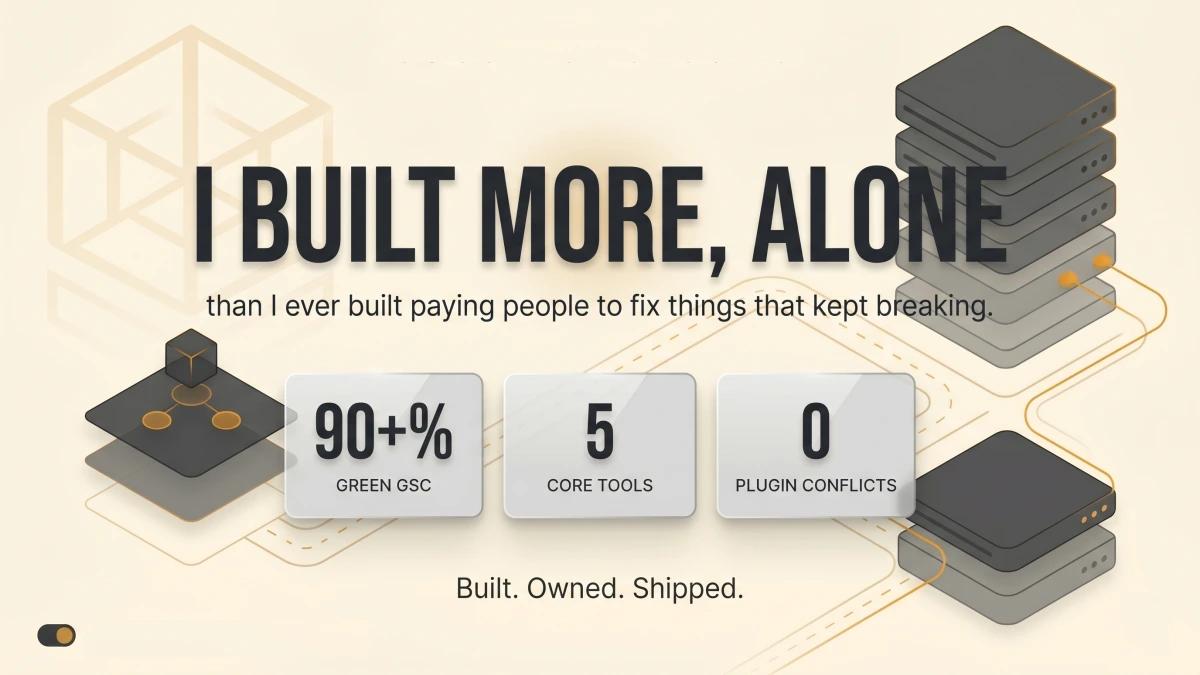
The Google Search Console is immaculate. Core web vitals are spot on. The site is fast, mobile responsive, clean, and secure. I built more in a short window, alone, than I ever built with WordPress and a team of people charging me to fix things that kept breaking.
Core web vitals spot on, mobile responsive, secure
The difference is structural. WordPress stabilises through plugins you rent. Next.js stabilises through code you own. When I want a new feature, I write it. I do not install a plugin that introduces three new dependencies, a settings page I will forget about, and a quarterly update that might break something else.
There are no plugin conflicts. No mysterious slowdowns after an update. No security patches for extensions I barely use. The architecture is mine. I understand every piece of it because I wrote every piece of it.
The money I used to spend on WordPress maintenance, agency retainers, and plugin licences is gone. The frustration of watching a team struggle to get basic SEO right across a bloated CMS is gone. What replaced it is a site that does exactly what I tell it to do, nothing more, nothing less.
WordPress Was Frictionless at the Start
Credit where it is earned. Getting a WordPress site up and running was effortless. One-click installs. Database connections handled for you. Hosting companies bundled everything into a single dashboard. The onboarding experience was genuinely frictionless.
The problem was everything that came after.
WordPress had constraints around getting components to play nicely with each other. A plugin installed to solve one problem would create side effects somewhere else downstream. The pain of searching through files to trace where a single string of code was affecting how something rendered on the page was real and recurring. WordPress sites eventually reached a stage where everything was taped together. You just hoped it held.
That said, I have had customers who ran WordPress sites for years and pulled in solid numbers. It worked for them because their constraints kept them from pushing beyond what would essentially be a breaking point. If it works, leave it alone. There is wisdom in that.
The Difference Is What Happens When You Want More
Where I am now with Next.js is a fundamentally different posture. The question is no longer "if it works, leave it alone." The question is "if it works, what could it become?"
When an idea surfaces, I can model it quickly and iterate. I can connect a Supabase database. I can build a new component, a new route, a new integration point. The flexibility is real and immediate.
The constraints I operate under now are the ones I choose to impose so that things remain coherent, rather than constraints imposed on me that risk things breaking. That distinction changes everything about how you think about building.
WordPress is a good tool. Powerful. Proven across millions of sites over two decades. I am not arguing against it. What I am saying is that we have reached a stage where operators like me have the ability to do more, with more control, at a fraction of the cost and complexity. The tooling caught up to the ambition.
Vercel Changed How I Build, Automate, and Ship
Vercel is the piece that made everything click. As an infrastructure and platform engineer, I have always worked with CI/CD systems, deployment pipelines, and automated workflows. Vercel gives me all of that automation without requiring me to manage the infrastructure underneath it. I push to Git, Vercel deploys. Preview environments spin up on every pull request. Production promotions happen with a merge. The entire delivery pipeline runs itself.
That is hard to overstate. The overhead I used to carry, maintaining build servers, configuring deployment scripts, debugging pipeline failures, is gone. What replaced it is a platform that handles the mechanics so I can focus on what I am building rather than how I am deploying it.
Monitoring is built in. Analytics are built in. Environment variable management is built in. Log inspection, deployment history, domain configuration: all inside Vercel. I did not install a plugin for any of it. I did not configure a third-party service to get basic visibility into how my application is running. It is just there.
When I combine Vercel with an AI coding agent, with Supabase, with Sanity, with Axiom, the stack becomes something entirely different from what WordPress ever offered. Every component connects directly. Every integration point is code I control. The whole system is composable in a way that plugin-driven architectures are designed to prevent.
The Stack That Replaced Plugins
The real shift is not just one tool. It is the chain.
Next.js, Vercel, Sanity, Supabase, Axiom, connected by AI agents via MCPs
Sanity replaced the CMS. It is headless, structured, and I build exactly the content models I need. I have heard of headless WordPress, but that misses the point. The value is not making WordPress headless. The value is building a content system from the ground up, with no inherited assumptions about what a page or a post should look like.
Supabase replaced the database layer. Postgres, auth, real-time subscriptions, all accessible through a clean API. I wire it up when I need structured data persistence. I leave it alone when I do not.
Axiom replaced the logging and monitoring gap. I built an MCP server for AutomationSwitch and needed to know when users were exceeding usage limits or abusing access. Axiom connected directly into Vercel. Within minutes I had structured logging and monitoring across the application. It has its own MCP integration as well, which means my AI agent can query logs programmatically.
That pattern repeats. Every few days I discover another tool that plugs directly into this stack: GitHub MCP for repository operations, Playwright MCP for browser automation, Firecrawl MCP for web scraping, Google Cloud APIs for search console data. Each one connects. Each one extends what the system can do. The stack grows by composition, not by plugin installation.
AI Agents as the Orchestration Layer
This is where the WordPress comparison breaks down entirely, because this way of working did not exist in the WordPress era.
My AI coding agent is the orchestration layer. When I connect it to MCPs, it can execute structured sequences across every tool in the stack: push code to GitHub, deploy via Vercel, query Sanity, scrape a page with Firecrawl, log the result to Axiom. The agent produces semi-deterministic work. I am not fully hands-off, but I can define a sequence of steps, wrap them in skills, and get consistent, repeatable outcomes.
That is automation orchestration without a dedicated automation platform. I am aware that tools like n8n, Make, and Dify exist for visual workflow automation. They serve a purpose. What I have found is that for my workflow, the AI agent itself is the orchestrator. It reads the skills, follows the process, and executes across the toolchain.
This is how I have been able to build and deploy at the pace I have. It is not one tool. It is the chain: Next.js for the application, Vercel for deployment and infrastructure, Sanity for content, Supabase for data, Axiom for observability, AI agents for orchestration, and MCPs as the connective tissue between all of them.
The entire stack runs on direct integrations and code the operator owns
When Something Breaks: WordPress vs the Modern Stack
Picture this scenario in WordPress. Something goes wrong. A plugin conflicts with another plugin, or an update changes behaviour somewhere downstream. You open the PHP config file. You search through WordPress core files trying to trace where the issue originates. You make a change. The site breaks harder. The white screen appears. Now you are locked out of the admin panel and working directly on the server, editing files through FTP or SSH, hoping you remember what you changed. Sometimes the experience is discouraging enough that you hesitate to go back in at all. You leave the issue and work around it because the cost of fixing it feels higher than the cost of living with it.
That brittleness is structural. WordPress exposes its internals through configuration files that are tightly coupled to the runtime. One wrong edit cascades. The feedback loop is slow: make a change, refresh the page, hope it worked, and if it did not, reverse the change and try something else. The debugging tools are limited. The error messages are cryptic. The path from "something broke" to "I understand why and I fixed it" can take days.
Now picture the same scenario in Vercel. A deployment fails. The error message appears in GitHub, attached to the commit that triggered it. I copy that error message and hand it to Claude or Codex. Within minutes, the agent identifies the root cause, explains why it happened, and suggests the fix. I apply the fix, push the commit, and Vercel deploys again automatically. If the fix works, the preview environment confirms it before it touches production. If it does not, I still have the previous deployment running. Nothing broke for the user. Nothing broke for me.
Versus hours to days in the WordPress debugging workflow
The difference is measured in minutes versus days. And the difference in confidence is even larger. With WordPress, debugging felt like surgery with limited visibility. With this stack, debugging feels like a conversation. The error is legible. The agent understands it. The fix is incremental and isolated. The deployment is automatic. At no point am I locked out, stuck, or afraid to touch the system.
That is where the brittleness disappears. It is not that things stop breaking. Things break in every system. It is that the recovery path went from days of uncertainty to minutes of clarity.
The Balance: Engineer and Creator
What I have found is a balance between two sides of how I work. There is the platform engineer who wants to get technical, dig into systems, and build properly. There is the entrepreneur and creator who wants to try new things, learn new technology, and move quickly. Those two impulses used to compete. Infrastructure management consumed the engineering energy, and by the time the systems were stable, the creative momentum had passed.
This stack resolved that tension. Vercel, Supabase, Sanity, and Axiom handle the infrastructure layer. I still architect the system. I still make the technical decisions. I just stopped being the person who maintains the servers, debugs the pipelines, and patches the deployment scripts. The engineering brain stays engaged at the design level. The creator brain gets to build immediately on top of it.
I Am Learning Alongside AI, Not Outsourcing to It
There is a distinction I want to make clearly, because it changes how you understand everything I have described.
I am learning alongside AI. Claude teaches me. Codex teaches me. When I build a component, the agent explains why one approach works better than another. When I structure a database schema, it walks me through the trade-offs. When I deploy, it shows me what Vercel is doing under the surface.
The freedom I have found is the freedom to learn by building. In production, on a live site, with an AI collaborator that meets me where I am and fills in the gaps in my knowledge as I encounter them. The result is that I understand my own stack deeply, because I built it while learning every layer of it.
That is the part WordPress could never offer. WordPress abstracted the complexity away behind plugins. This stack exposes the complexity and gives me a collaborator who helps me understand it.
Cognitive Load Dropped. Capacity Went Up.
One thing I can say with certainty is that my cognitive load has reduced. The mental overhead of managing infrastructure, debugging plugin conflicts, maintaining deployment pipelines, and keeping WordPress stable used to occupy a significant portion of my working capacity. That overhead is gone.
What filled the space is creative and strategic capacity. The energy I used to spend on maintenance now goes into optimisation. How can I connect this service with that data source? How can I make what I am building more useful? How can I offer more value to the people who visit the site? Those questions were always there. I just had less room to engage with them when I was fighting the tooling.
This is where the risk reappears. Reduced friction is intoxicating. When you know that any idea can move from thought to deployed feature in a short window, the temptation is to keep building. Build the next integration. Add the next MCP. Wire up the next data pipeline. The freedom to create can lead you down a road of building for the sake of building if you are not disciplined about what actually matters.
I embrace that trade-off with open arms. I would rather manage the risk of overbuilding than manage the risk of a WordPress plugin breaking my site on a Tuesday afternoon. One of those risks is a sign that you have too much capability. The other is a sign that your tooling is holding you back. I know which one I prefer.
In Closing: A Real Example from Today
I will close with something that happened as I was writing this article. I had just implemented a new series of features for the site: fully SEO-optimised pages, new routes, new metadata. I pushed the code and waited for the deployment.
It failed. Two errors appeared in my GitHub Actions runner output.
The first told me I had modified a product document without updating the site brief, which is the master narrative document for AutomationSwitch. The second told me the Vercel build itself had failed due to a TypeScript type error.
In the WordPress era, this would have been a multi-hour investigation. I would have been searching through PHP files, cross-referencing configuration settings, and hoping I could reverse whatever I had broken without creating a new problem.
Here is what I did instead. I copied both error messages from the GitHub runner output and pasted them into Claude Code, the AI coding assistant I use for development. Within minutes, it had diagnosed both issues, applied the fixes, and pushed a new commit. The site brief was updated with the correct changelog entry. The TypeScript type definition was corrected. The CI checks re-ran. The deployment succeeded.
That is the workflow. An automated pipeline catches the problem. An AI collaborator diagnoses and fixes it. A clean deployment follows. The total time from "deployment failed" to "unblocked and live" was minutes.
For anyone unfamiliar with what a GitHub runner is: it is a workflow that automates how code moves from a repository into an environment where it is built and deployed. In this case, the runner pushes code to Vercel, where it is rendered as the website users see in their browser. That automation layer is a topic for another day, but it is part of the same chain that makes this way of working possible.
This Is for Anyone Who Felt That Friction
If I experienced this, I know others did too. The frustration of paying agencies to fix core web vitals that kept regressing. The anxiety of updating a plugin and wondering what would break. The feeling of being locked into a system that worked just well enough to make leaving feel risky, but worked well enough that staying felt safe.
There is another way to build. It requires learning. It requires a willingness to understand your own stack rather than outsourcing that understanding to plugins. But the tools that exist today, Next.js, Vercel, Sanity, Supabase, AI coding agents, make that learning curve shorter and more forgiving than it has ever been. You are doing it alongside an AI collaborator that meets you where you are.
I am saying that if you have felt the ceiling, if you have hit the point where every improvement requires another plugin and another prayer, there is a stack on the other side of that ceiling where the constraints are yours to choose and the only limit is your own judgment.
That is what I found. That is what I built on. And I am happy to show anyone who needs it how to get here.
I will keep evolving this workflow. I will keep connecting new tools, building new features, and deploying with the confidence that when something breaks, the recovery is a conversation, not an excavation. The ceiling is gone. The constraints are mine to choose. And the stack I built around is the reason I can say that without hesitation.
